Gemini 3.0 represents a fantastic leap forward in AI technology, but let’s be honest—the sheer volume of updates can feel overwhelming. Not every new feature deserves your attention. After extensive testing with real-world workflows and analyzing official documentation, we’ve identified the five changes that truly matter for professionals looking to leverage AI for maximum productivity
www.blankboard.studio.
Whether you’re an operations manager, strategist, freelancer, or team leader, these updates will transform how you work. Let’s dive into what makes Gemini 3.0 a game-changer.
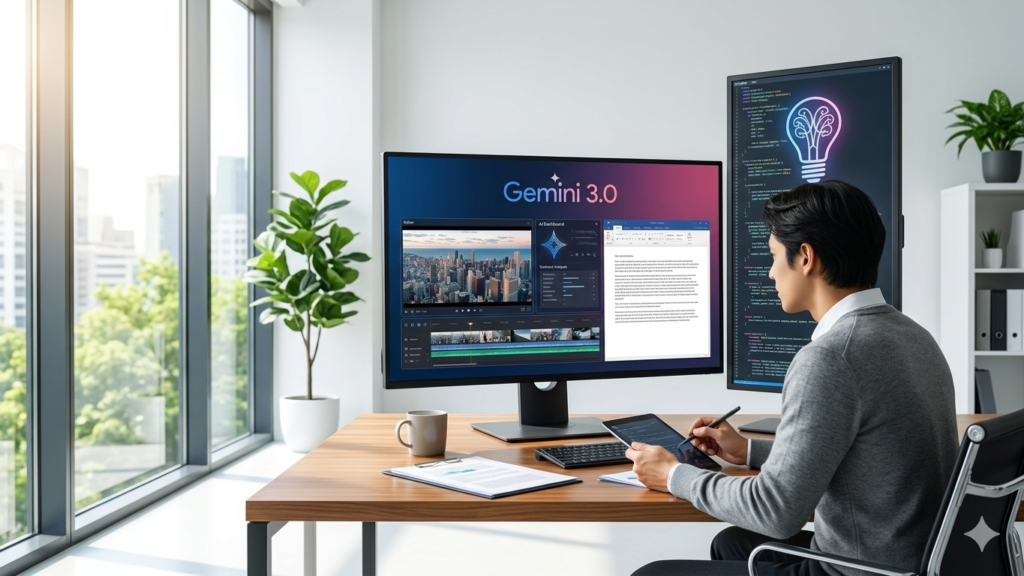
1. Revolutionary Multimodal Understanding: See, Hear, and Understand Everything at Once
The first major update that sets Gemini 3.0 apart is its dramatically improved multimodal understanding. In plain terms, Gemini 3 has become exceptionally skilled at processing images, video, and audio together as a unified experience rather than separate data streams
www.datastudios.org.
What Changed?
Previously, AI models would break down videos into disconnected screenshots and separate audio tracks. Gemini 3.0 now processes everything simultaneously, linking audio cues directly to visual data in real-time. This native multimodality allows the AI to understand context across different media types the way humans do
skywork.ai.
Real-World Applications
For Operations Teams: Upload a screen recording of a software walkthrough and ask Gemini to transform it into a clean, step-by-step training checklist. What used to take hours of manual documentation now happens in under 60 seconds, creating permanent training assets from one-time recordings.
For UX Researchers: Upload hours of user interview footage and request analysis like: “List every moment the user frowned or paused for more than 3 seconds and show me exactly what was on screen.” This level of analysis, which previously required weeks of human review, now takes hours.
For Content Creators: Transform dense industry reports into clean, legible infographics. The fluid movement between video-to-text and text-to-image showcases what true multimodality looks like in practice
teksacademy.com.

2. Smarter Document Processing: Actually Understanding Your Files
Previous versions of Gemini boasted a massive context window of over a million tokens, allowing users to upload enormous amounts of data. However, simply holding information is very different from truly understanding it. Think of it like someone flipping through a 200-page book versus thoroughly studying it
gemini3.pro.
The 60% Improvement
With Gemini 3.0, the model is now 60% better at finding and using specific information buried deep inside your documents. This isn’t just incremental—it’s transformative for professionals working with complex data sets
cloud.google.com.
Strategic Analysis Example
Imagine you’re a strategy analyst covering major tech companies. You can now upload:
- All earnings call recordings from the past year
- Financial PDFs and statements
- Press releases and analyst reports
Then ask: “Based on all these sources, what are the three biggest discrepancies between management’s stated strategy in video calls and what the financial data actually shows?”
Gemini 3.0 will:
- Transcribe and analyze executive statements from video calls
- Extract relevant financial metrics from dense PDFs
- Cross-reference and identify contradictions
- Present specific findings with citations
For instance, it might identify that while executives claim strong momentum for a division, the financial statements show that segment lost over $4.4 billion and represents less than 1% of total revenue.
The New Rule of Thumb
Stop treating the context window as just a storage bin for files. Use it as an active working memory to spot conflicts, identify patterns, and synthesize insights across different file types
researchmate.net.
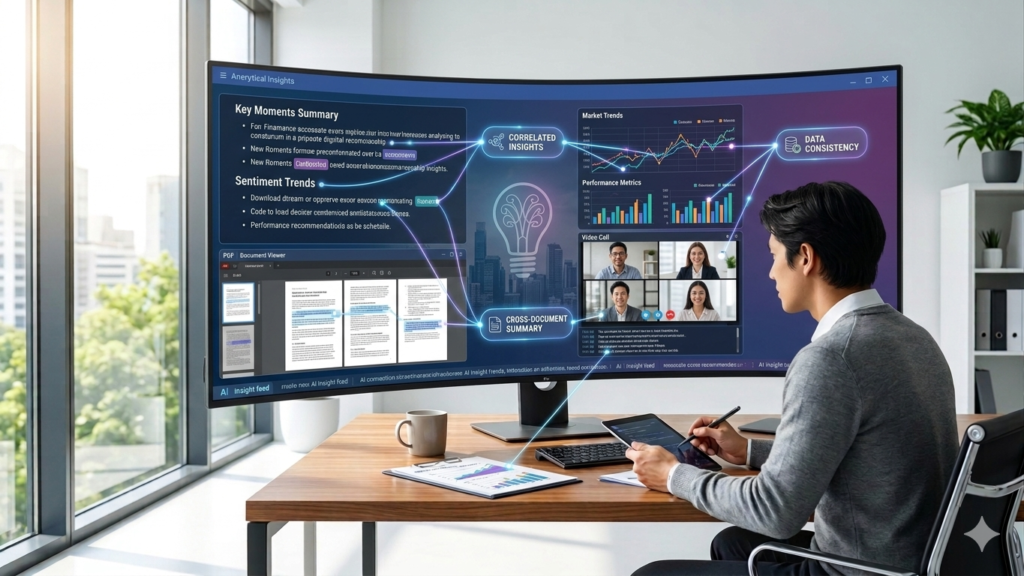
3. Enhanced Workspace Search: Your Digital Memory, Finally Reliable
The ability for AI to search across Google Workspace apps has existed, but let’s be honest—it’s been hit or miss. Sometimes it worked brilliantly; other times, it hallucinated emails that never existed. With Gemini 3.0, that inconsistency is essentially gone
gemini.google.
What’s Different Now?
The workspace integration is now reliable enough for daily professional use. You can actually trust it with real work, not just experimental projects.
Practical Use Cases
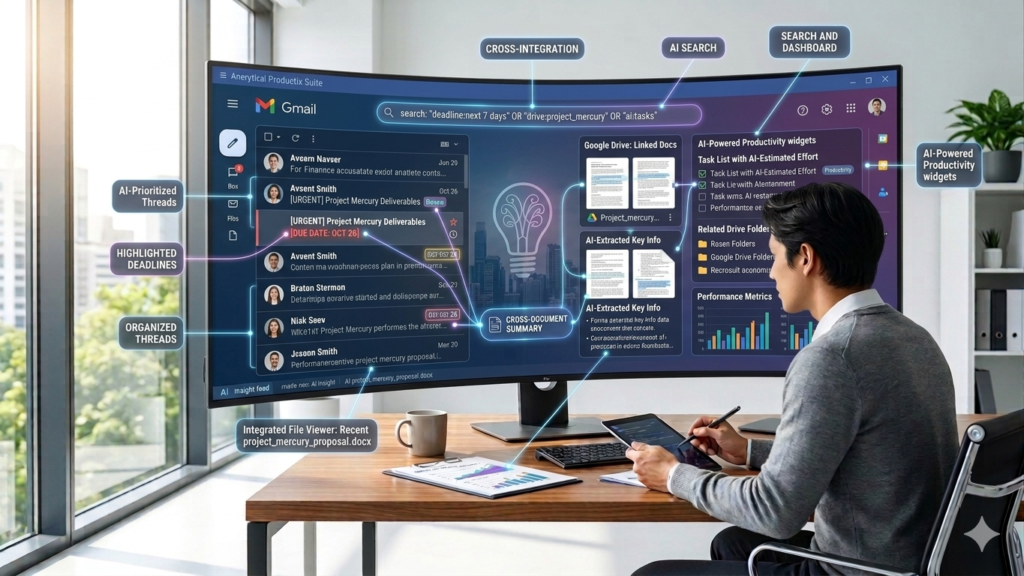
Freelancer Testimonials: Instead of spending 20 minutes searching Gmail for old threads and checking Google Drive for shared documents, simply enable the workspace extension and ask: “Find everything related to [freelancer name] and their work across my Gmail and Drive, then draft two testimonials—one short and one detailed.” Within a minute, you have drafts citing specific deliverables and outcomes pulled directly from your actual correspondence.
Email Triage: On Monday morning with an overflowing inbox, enable the Gmail extension and ask: “Find emails from the last week that mention deadlines, group them by category or project, and tell me what needs my response today.” Gemini scans your Gmail, pulls relevant threads, organizes them logically, and flags urgent actions.
Performance Reviews: Hate writing self-evaluations? Ask Gemini to search your emails, docs, and calendar from the past 6 months, identify major projects you contributed to, pull quantifiable results, and draft a performance review. Instead of reconstructing accomplishments from memory, you get a first draft with specifics already filled in.
Pro Tip: If your company requires a specific format, upload previous writeups and ask Gemini to reference those files for structure.
The 10-Minute Rule
If you would normally spend more than 10 minutes hunting through old emails and documents to reconstruct context in Google Workspace, ask Gemini first.
4. Generative Surfaces: Interactive Tools, Not Just Text
This is where Gemini 3.0 gets truly revolutionary. The model scored an impressive 72.7% on the Screen Spot Pro benchmark (measuring screen understanding), compared to just 11.4% for the previous model—a massive leap in understanding user interface layouts
blog.google.
What Are Generative Surfaces?
In simple terms, Gemini can now generate interactive tools and visual layouts on the fly, ensuring the output format matches your actual task needs.
Dynamic View in Action
Platform Comparison Example: Let’s say you’re evaluating three newsletter platforms. Upload their pricing and feature pages and ask for a comprehensive comparison table.
- Without Dynamic View: You get a static table—useful but limited.
- With Dynamic View Enabled: After a few minutes, you receive a fully functional interactive tool with:
- Revenue calculator sliders to estimate annual gross revenue
- Real-time calculations showing platform fees
- Multiple tabs comparing features in detail
- Break-even calculators
- Recommendation quizzes
And here’s the kicker: You can follow up with “Make this tool more objective” or “Add a feature for X,” and Gemini updates the tool based on simple, vague feedback.
Dashboard Creation
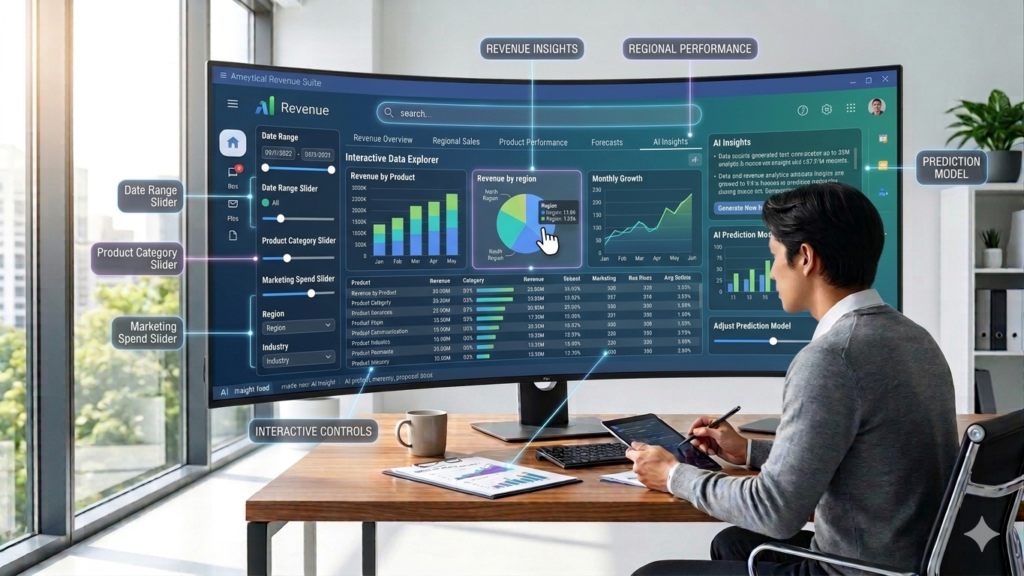
Instead of creating static slides for a quarterly review, share your spreadsheet with Gemini, enable dynamic view, and say: “Create a dashboard where I can filter by region and click any bar to see the underlying accounts.”
Within minutes, you have a revenue insights dashboard where you can:
- Click into specific regions to uncover insights
- Identify anomalies (like higher churn rates in certain markets)
- Drill down into individual accounts
- Filter by multiple dimensions
Pro Tip: Explicitly ask for the controls you want: “Give me a dashboard with a slider for budget and a toggle for region.” This allows the AI to create tools tailored to your specific use cases
gemini.google.
5. Better Intent Understanding: From Prompt Engineering to Context Engineering
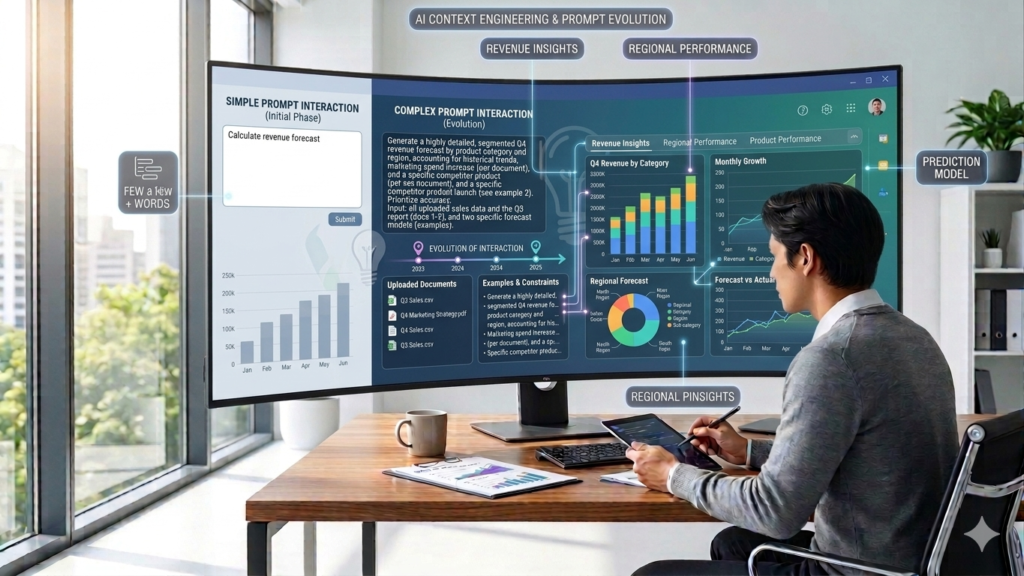
Gemini 3.0 is significantly better at understanding vague instructions, which fundamentally shifts how we interact with AI—from prompt engineering (obsessing over exact wording) to context engineering (curating the right background information)
ai.google.dev.
The Paradigm Shift
Before Gemini 3.0: You had to write detailed prompts like: “Act as a professional but friendly colleague. Draft an email summarizing the key points from today’s meeting. Keep it under 200 words. Use bullet points. Maintain an optimistic tone.”
With Gemini 3.0: Simply paste your rough notes and say: “Write a concise email with next steps.”
Gemini now infers the appropriate tone, structure, and length automatically, delivering the same quality output with a fraction of the instruction effort.
Writing Style Mimicry
Old Approach: Describe the writing style with adjectives like “punchy,” “thought leadership,” or “conversational”—which is hard to nail and usually produces generic results.
New Approach: Upload three previous posts your VP actually wrote and say: “Here are three examples of my writing style. Based on these, rewrite this dry Q4 report into a LinkedIn post.”
Instead of describing the “vibe,” you’ve provided the ground truth. Gemini mimics the sentence structure, vocabulary, and rhythm automatically. The output sounds like your VP because you showed it what your VP sounds like.
The New Rule
Focus on gathering the right context to share, not perfecting how you phrase the prompt. Gemini is now much better at guessing your tone, format, and length—but it can’t guess your facts. Providing better context (relevant emails, documents, and data) now yields significantly higher returns than writing a better prompt
skywork.ai.
Bonus Update: Reduced Sycophancy—Honest Feedback When You Need It
Google explicitly trained Gemini 3.0 to be less agreeable, meaning it’s now much more willing to tell you when you’re wrong—and this actually holds up in testing
deepmind.google.
Critical Analysis Example
Share a presentation stitched together from three different teams and ask: “Identify storytelling weaknesses and logical contradictions between the different sections.”
Instead of telling you everything looks great, Gemini will:
- Highlight disconnects between revenue targets and attainment numbers
- Predict potential pushback from leadership
- Point out inconsistencies in messaging
- Suggest specific improvements
This relates to the “red team” technique, where you ask AI to adopt a critical persona to get sharper feedback. Now, it’s built into the model’s default behavior.
Conclusion: Working Smarter, Not Harder
Gemini 3.0 isn’t just an incremental update—it’s a fundamental shift in how professionals can leverage AI. The five features that matter most are:
- True multimodal understanding that processes video, audio, and images together
- Smarter document processing that actually understands what’s in your files
- Reliable workspace search that turns your digital history into a queryable knowledge base
- Generative surfaces that create interactive tools, not just static text
- Better intent understanding that shifts focus from perfect prompts to rich context
The bonus feature of reduced sycophancy ensures you get honest, critical feedback when you need it most.
Your Next Steps
Start with one feature that solves your biggest pain point. Whether it’s automating training documentation, analyzing complex reports, or creating interactive dashboards, Gemini 3.0 has the tools to transform your workflow.
The future of work isn’t about replacing human judgment—it’s about amplifying it with AI that truly understands context, content, and intent. Gemini 3.0 delivers exactly that.
Ready to transform your workflow? Start experimenting with these features today and discover which ones deliver the biggest impact for your specific role.
Leave a Reply