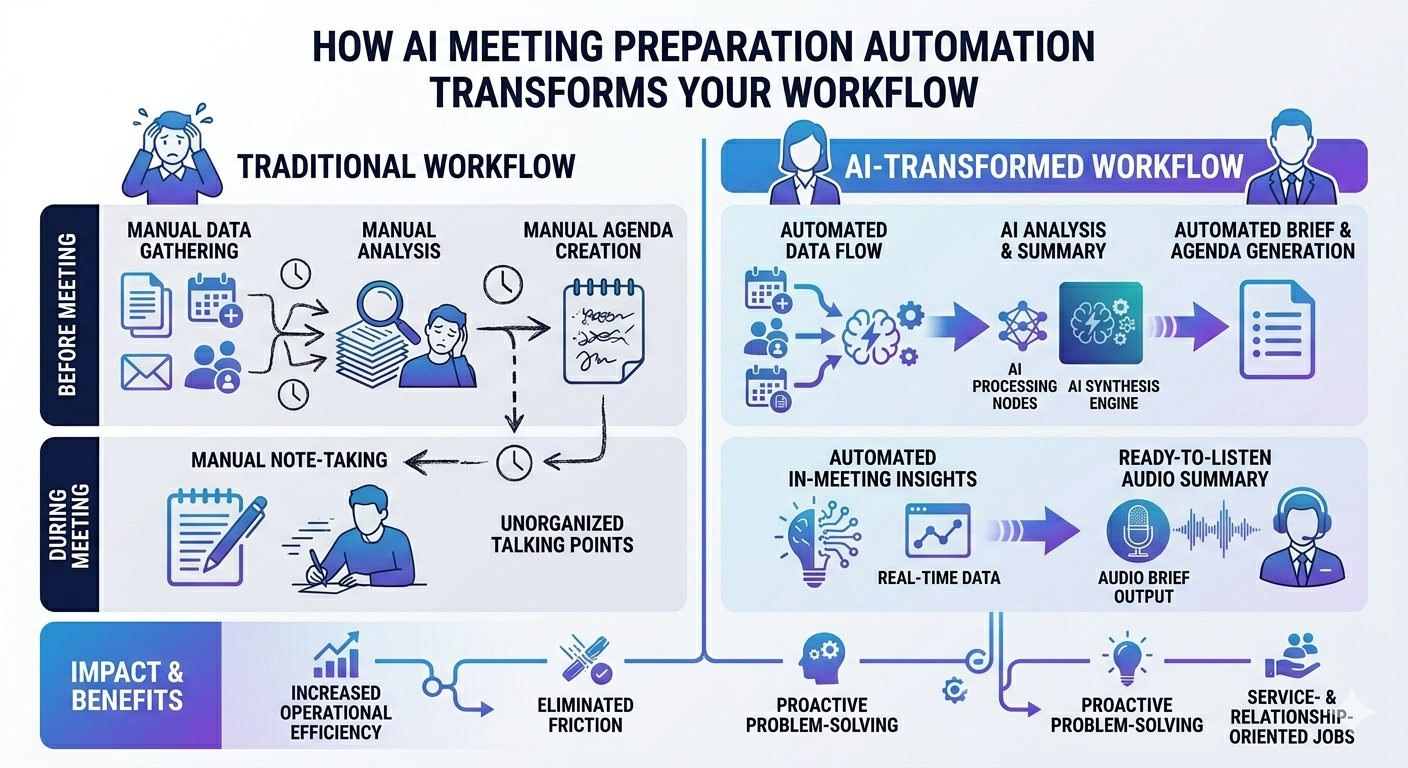
Imagine walking into every meeting so well-prepared that your clients are blown away. You know their background, their company’s recent developments, and exactly what matters to them—as if you’ve spent hours researching. AI meeting preparation automation makes this possible with just a few seconds of automated research. In this comprehensive guide, we’ll explore how to build a powerful workflow that takes you from a booked meeting to an AI-generated voice briefing with everything you need to know, all in seconds.
If you’re juggling multiple meetings daily or simply want to present as a complete professional without hours of manual preparation, this automation approach is a game-changer. Let’s dive into how you can replicate this system.
What Is AI Meeting Preparation Automation?
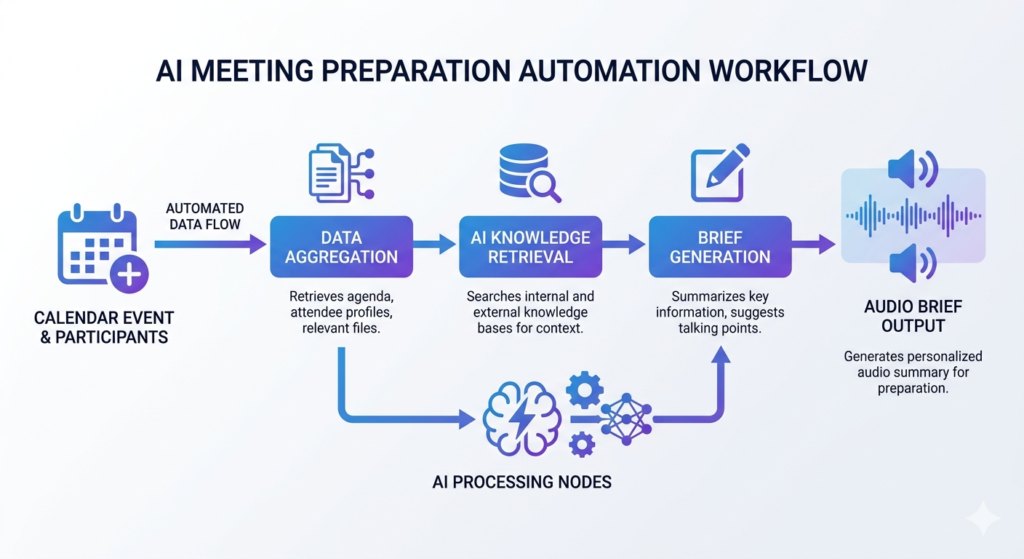
AI meeting preparation automation refers to intelligent workflows that automatically research meeting participants, analyze company backgrounds, identify meeting objectives, and generate comprehensive briefings—often in audio format—before your calls begin. This technology eliminates the tedious manual research phase, allowing professionals to focus on building relationships and delivering value.
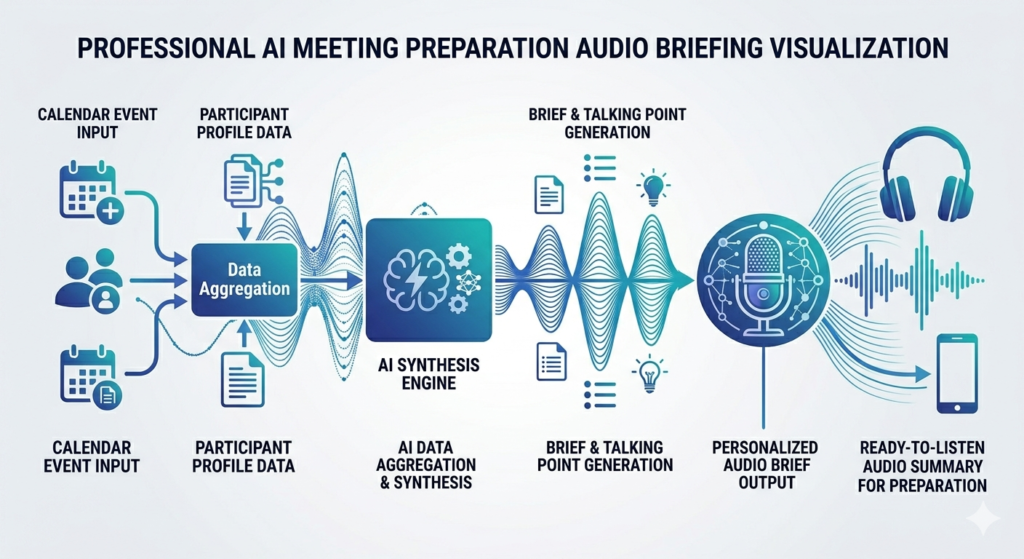
The system works by integrating your calendar booking platform with AI research tools and text-to-speech capabilities. When someone books a meeting, the automation instantly:
- Extracts booking details and form responses
- Researches the attendee’s professional background
- Analyzes their company’s recent news and developments
- Identifies potential pain points and meeting goals
- Generates personalized questions for discussion
- Creates an audio briefing you can listen to on the go
The Technology Stack Behind Automated Meeting Research
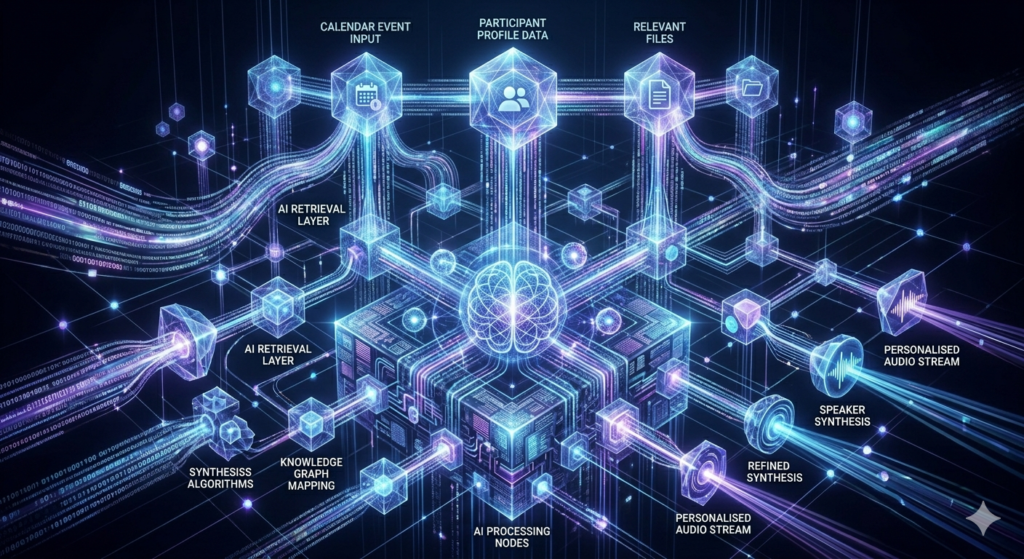
Building an effective AI meeting preparation automation requires integrating several powerful tools and APIs. Here’s what makes this workflow possible:
Perplexity API for Deep Research
Perplexity’s Sonar API provides real-time, citation-backed research capabilities. Unlike traditional search engines, Perplexity delivers synthesized answers with sources, making it ideal for professional research. The API offers different research modes:
- Deep Research: Comprehensive analysis with multiple sources
- Deep Research with Reasoning: Enhanced analytical capabilities
- Standard Search: Quick factual lookups
Best AI Research Tools – aitoolsupdates.net/ai-research-tools
For meeting preparation, deep research modes work best as they uncover nuanced information about professionals and companies, including recent funding rounds, press mentions, and strategic initiatives.
OpenAI for Intelligent Processing and Audio
OpenAI’s ecosystem powers multiple aspects of the workflow:
- GPT-4o Mini: Processes and synthesizes research data quickly and cost-effectively
- Text-to-Speech API: Converts written briefings into natural-sounding audio
- Voice Options: Choose from voices like Alloy, Shimmer, Onyx, or Nova
The beauty of using GPT-4o Mini is its balance of speed, reasoning capability, and affordability—perfect for processing multiple data points without breaking the bank.
Integration Platform: n8n
n8n serves as the workflow orchestration platform, connecting Calendarly, Perplexity, OpenAI, and Gmail. Its visual interface makes it accessible even for those without extensive coding experience.
Step-by-Step: Building Your AI Meeting Prep Workflow
Step 1: Capturing Booking Details
The workflow begins with your calendar platform trigger. Whether you use Calendarly, Cal.com, or another scheduling tool, the system captures:
- Attendee name and email
- Company information
- Meeting purpose from booking questions
- Additional context from custom fields
The extraction node filters relevant information, creating a clean JSON payload that feeds subsequent research steps. Even if some fields are blank, the automation continues seamlessly.
Step 2: Researching Attendees and Companies
This is where AI meeting preparation automation truly shines. The workflow conducts parallel research streams:
Attendee Research: The Perplexity API receives a prompt like: “Summarize the professional background and relevant information about [Name] from [Company]. Focus on job title, industry, notable press mentions, and interesting professional highlights.”
This uncovers:
- Career trajectory and expertise areas
- Speaking engagements or publications
- Notable achievements or recognition
- Communication style indicators
Company Research: A separate Perplexity query analyzes the organization: “Provide a comprehensive analysis of [Company Name]. Include mission, key products or services, leadership team, company history, recent news or developments, and funding history if applicable.”
This reveals:
- Recent funding rounds or acquisitions
- Product launches or pivots
- Market positioning
- Competitive landscape
Top AI Automation Platforms – aitoolsupdates.net/automation-platforms
Meeting Goal Analysis: An OpenAI node processes the booking details with a prompt like: “Analyze these calendar booking details to identify the requester’s possible goals, pain points, and expectations. Summarize their likely needs and suggest tailored questions.”
Step 3: Consolidating and Structuring Information
The workflow then appends all research outputs into a comprehensive payload. A consolidation node organizes information by category:
- Individual profile summary
- Company overview
- Key insights and trends
- Inferred meeting objectives
- Suggested discussion questions
This structured approach ensures no critical information gets lost in translation.
Step 4: Generating Audio Briefings
Here’s where the magic happens for busy professionals. The consolidated briefing feeds into OpenAI’s text-to-speech API with a carefully crafted prompt:
“Compile the following information into a structured briefing report that flows naturally when read aloud. Include a brief summary of the individual, company overview, key insights, inferred goals, and 3-5 personalized questions.”
The system generates an MP3 file you can listen to while commuting, exercising, or preparing mentally for the call.
Step 5: Email Delivery
The final step packages everything into a polished email:
- Subject Line: “Meeting Prep: [Attendee Name] – [Company]”
- Body: HTML-formatted summary with bullet points
- Attachment: The audio briefing MP3
- Sections: Profile, company insights, meeting goals, and smart questions
This arrives in your inbox automatically, ready for review minutes after the booking confirmation.
Benefits of AI-Powered Meeting Preparation
Implementing AI meeting preparation automation delivers measurable advantages:
Time Savings:
- Reduce prep time from 30-60 minutes to under 5 minutes
- Eliminate repetitive research tasks
- Scale preparation across unlimited meetings
Enhanced Professionalism:
- Reference recent company developments naturally
- Ask insightful, personalized questions
- Demonstrate genuine interest and preparation
Competitive Edge:
- Uncover information competitors might miss
- Identify pain points before they’re mentioned
- Position solutions more effectively
Consistency:
- Never forget to research a meeting attendee
- Maintain quality across all client interactions
- Build systematic preparation habits
Advanced Customization Options
The beauty of this AI meeting preparation automation lies in its flexibility:
Voice Cloning: Instead of standard AI voices, integrate ElevenLabs to clone your own voice or choose from premium voice options for a more personalized experience.
Research Depth: Adjust Perplexity’s research mode based on meeting importance. High-stakes client meetings might warrant deep research with reasoning, while internal syncs could use standard search.
CRM Integration: Connect the workflow to HubSpot, Salesforce, or Pipedrive to automatically log research findings and update contact records.
Multi-Language Support: Leverage OpenAI’s translation capabilities to research international clients in their native language and receive briefings in yours.
Perplexity API Documentation – https://docs.perplexity.ai
OpenAI Text-to-Speech Guide – https://platform.openai.com/docs/guides/text-to-speech
Getting Started with Automated Meeting Research
Ready to transform your meeting preparation? Here’s how to begin:
- Set Up Your Tools: Create accounts on n8n, Perplexity (for API access), and OpenAI
- Configure Calendar Integration: Connect your scheduling platform to n8n
- Build the Workflow: Follow the node structure outlined above or use a pre-built template
- Test Thoroughly: Book test meetings to refine prompts and data extraction
- Iterate and Improve: Adjust research depth and briefing format based on your needs
The initial setup might take 1-2 hours, but the time savings compound with every meeting you attend.
Conclusion
AI meeting preparation automation represents the future of professional productivity. By leveraging tools like Perplexity for research, OpenAI for synthesis and audio generation, and n8n for orchestration, you can transform hours of manual preparation into seconds of automated intelligence.
The result? You show up to every meeting informed, confident, and ready to deliver exceptional value. Your clients notice the preparation, your close rates improve, and you reclaim hours of your week for higher-value activities.
Start implementing this workflow today, and experience the difference that AI-powered preparation makes in your professional relationships.
Leave a Reply