Introduction to Claude Code: The Future of Development
Claude Code represents a revolutionary shift in how developers and non-developers alike approach software creation. This comprehensive AI-powered coding assistant has transformed the way thousands of professionals build applications, automate workflows, and manage complex development tasks. Whether you’re a seasoned developer or someone with zero technical background, Claude Code offers unprecedented capabilities to bring your ideas to life.
In this complete guide, we’ll explore everything you need to know about Claude Code—from initial setup to advanced features like agent teams, subagents, and automated deployment. By the end of this article, you’ll have the knowledge to leverage Claude Code for building production-ready applications and automating your entire development workflow.
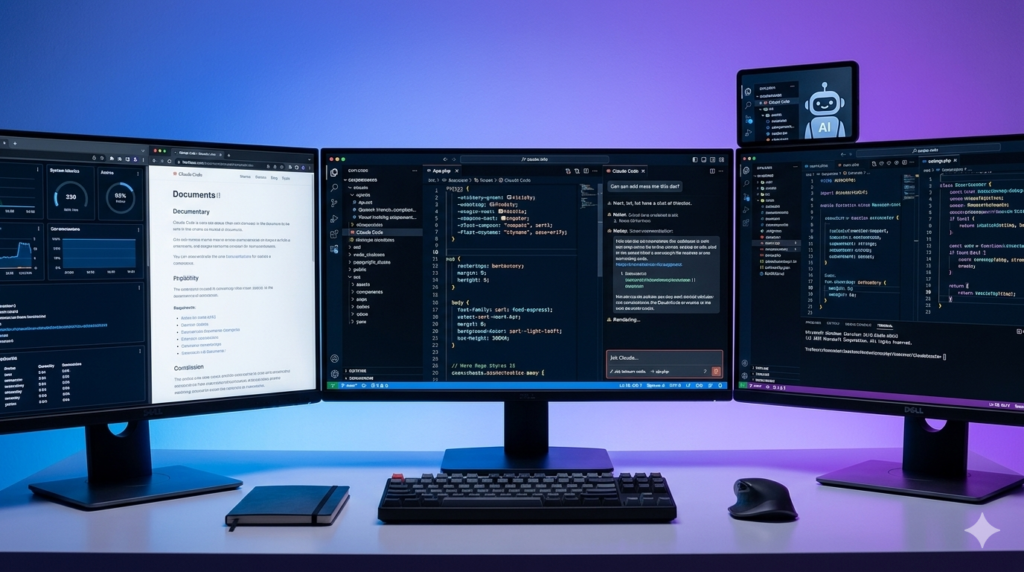
Getting Started with Claude Code: Installation and Setup
Choosing the Right Plan
To access Claude Code, you’ll need at least a Pro plan subscription. While the free tier offers basic features, the Pro plan at $17/month unlocks the full potential of Claude Code for everyday productivity. For many users, this investment pays for itself within days through massive productivity gains.
Installation Process
Setting up Claude Code is straightforward:
- Terminal Installation: Open your terminal (Mac/Linux) or Command Prompt/PowerShell (Windows)
- Run the Install Command: Use the curl command provided on the Claude Code documentation page
- Authenticate: Type
claudein your terminal and follow the login prompts - Choose Subscription: Select your Claude Pro, Max, or Team subscription
The installation process takes just minutes, and you’ll immediately have access to a powerful AI coding assistant running locally on your machine.
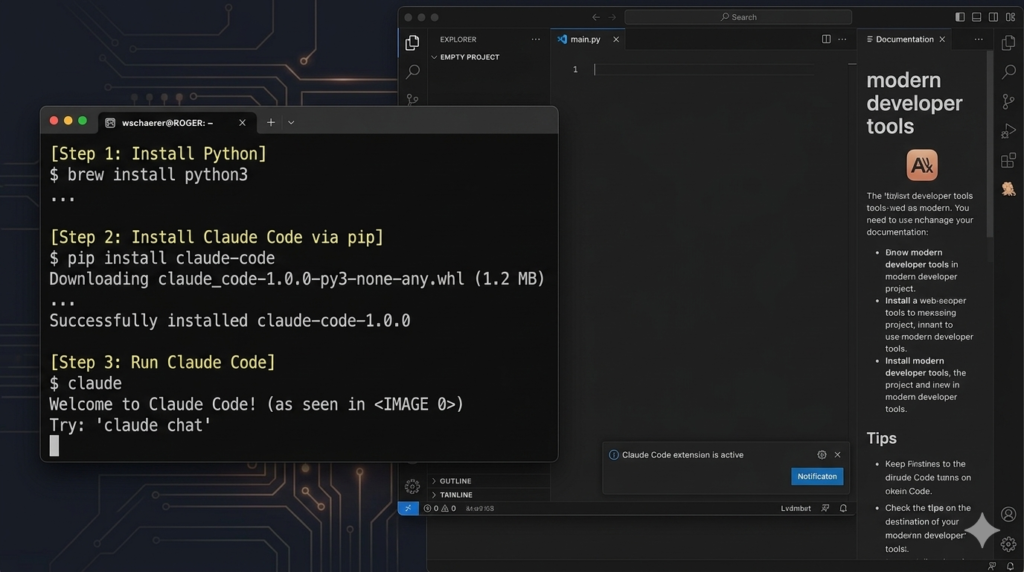
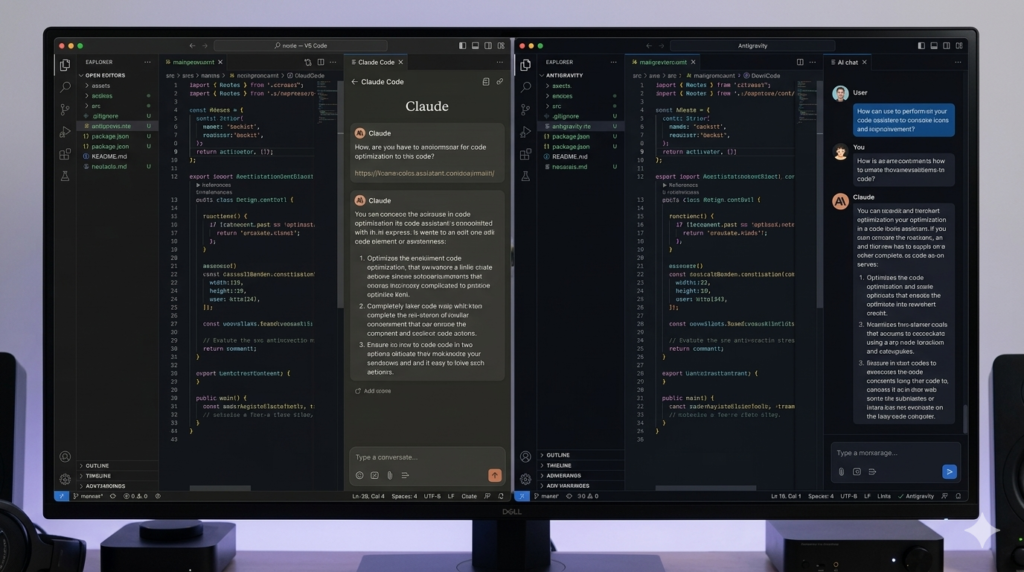
Understanding IDEs: VS Code vs Antigravity
What is an Integrated Development Environment?
An IDE combines three essential tools: a file organizer, a text editor, and an AI chat interface. Think of it as having Finder/Explorer, Notepad, and ChatGPT all in one unified workspace.
Visual Studio Code: The Industry Standard
VS Code remains the most popular choice among developers. To set up Claude Code in VS Code:
- Download VS Code from the official website
- Install the Claude Code extension from the marketplace
- Look for the official Anthropic extension with verification badge
- Access Claude Code through the agent tab on the right sidebar
Antigravity: The Modern Alternative
Antigravity, built on VS Code’s foundation, offers a more modern, AI-first experience. Google’s Antigravity provides:
- Cleaner, more intuitive interface
- Better AI integration out of the box
- Enhanced visual design
- Similar functionality with improved UX
For this guide, we recommend starting with Antigravity for its superior user experience and AI-native design.
Building Your First Web Application
The Power of Claude.md: Your Project Brain
The Claude.md file serves as the brain of your workspace. This file is automatically injected at the beginning of every conversation, providing context and instructions to guide Claude’s behavior. Think of it as setting the initial trajectory for your AI assistant.
Best Practices for Claude.md:
- Keep it between 200-500 lines maximum
- Use bullet points and short headings
- Place critical rules at the top (primacy bias)
- Write in high information density
- Avoid dumping entire API documentation
- Update and prune regularly
Three Major Design Approaches
- Screenshot Loop Method: Provide a reference website screenshot, have Claude recreate it, then iterate through screenshot comparisons to achieve pixel-perfect results
- Voice Transcript Method: Use voice-to-text tools to rapidly describe your requirements (200 words/minute vs 50 words/minute typing)
- Component-Based Method: Leverage platforms like 21st.dev to copy pre-built components and integrate them into your project
Practical Example: Building a Proposal Generator
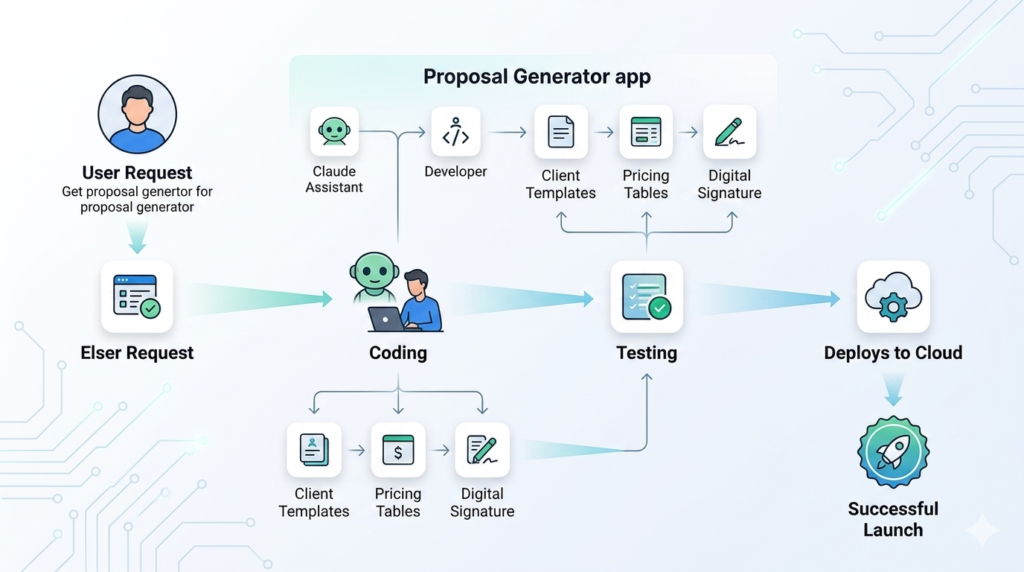
Let’s walk through creating a full-stack proposal generation platform:
Step 1: Define Requirements Use voice transcription to outline features: user authentication, proposal templates, e-signatures, payment integration, and public sharing URLs.
Step 2: Plan Mode Switch to Plan Mode (read-only exploration) to research the best tech stack, database schema, and implementation strategy before writing code.
Step 3: Build with Bypass Permissions Once the plan is solid, switch to Bypass Permissions mode for rapid development.
Step 4: Deploy Use services like Netlify for frontend deployment and Superbase for database management.
Advanced Features: Context Management
Understanding Context Windows
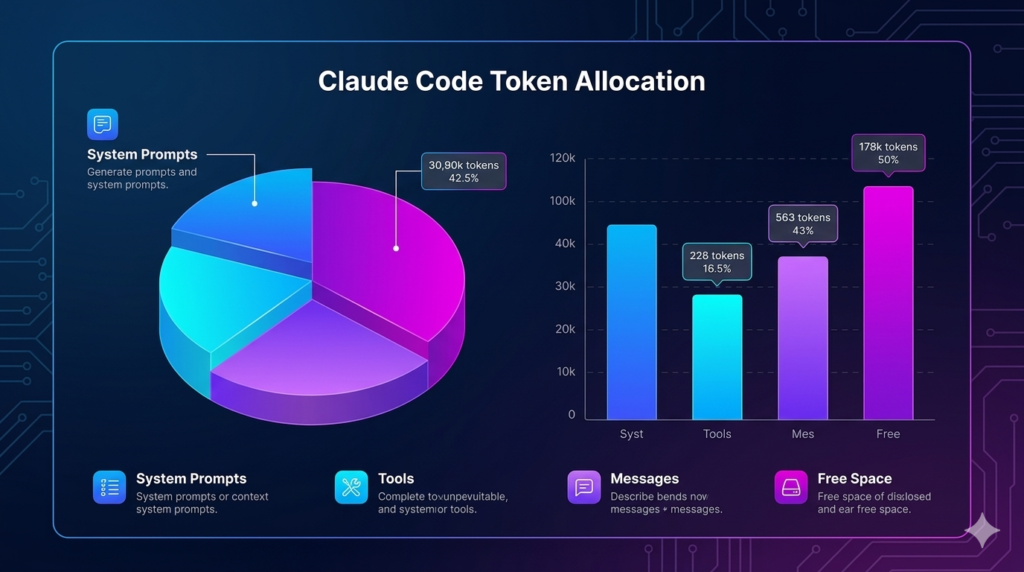
Claude Code operates within a context window (typically 200,000 tokens for Opus 4.6). Every message, tool definition, and file you load consumes tokens. Understanding context management is crucial for maintaining performance and controlling costs.
Key Context Components:
- System Prompts (Claude.md files): ~10,000 tokens
- System Tools: ~17,000 tokens (bash, web search, file operations)
- MCP Tools: Variable (custom integrations)
- Memory Files: Minimal (~100 tokens)
- Skills: Minimal when not in use (~60 tokens)
- Messages: Your conversation history
Optimization Strategies:
- Use
/compactto compress conversation history - Implement
/clearwhen switching unrelated tasks - Configure status lines to monitor token usage
- Move repetitive instructions to Skills
- Use smaller models (Sonnet) for subagents
- Enable extended thinking to reduce output tokens
Mastering Skills: Automate Repetitive Tasks
What Are Skills?
Skills (formerly custom slash commands) allow you to encode workflows and best practices into reusable templates. They’re perfect for automating routine tasks like lead scraping, email management, content creation, and client onboarding.
Creating Your First Skill
Example: Lead Scraping Skill
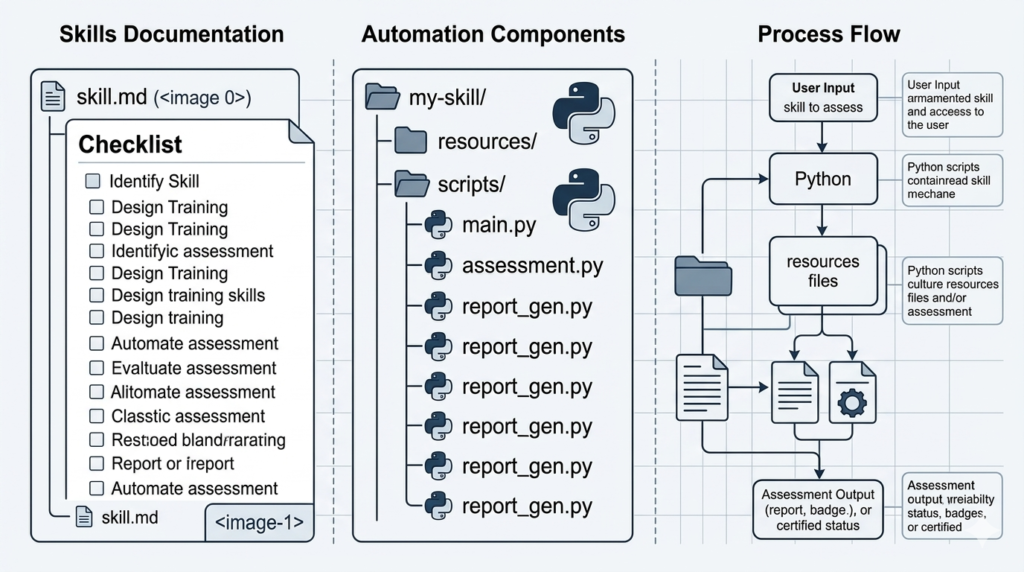
- Structure: Create a folder with
skill.mdandscripts/subdirectory - Define Front Matter: Name, description, allowed tools
- Write Process Checklist: Step-by-step instructions
- Build Scripts: Python/JavaScript automation scripts
- Test and Iterate: Refine based on results
Sample Workflow:
123456
Economic Value
A skill that automates a 30-minute task into 87 seconds provides massive ROI. For businesses processing thousands of leads daily, this translates to hundreds of hours saved monthly.
Model Context Protocol (MCP): Extending Functionality
What is MCP?
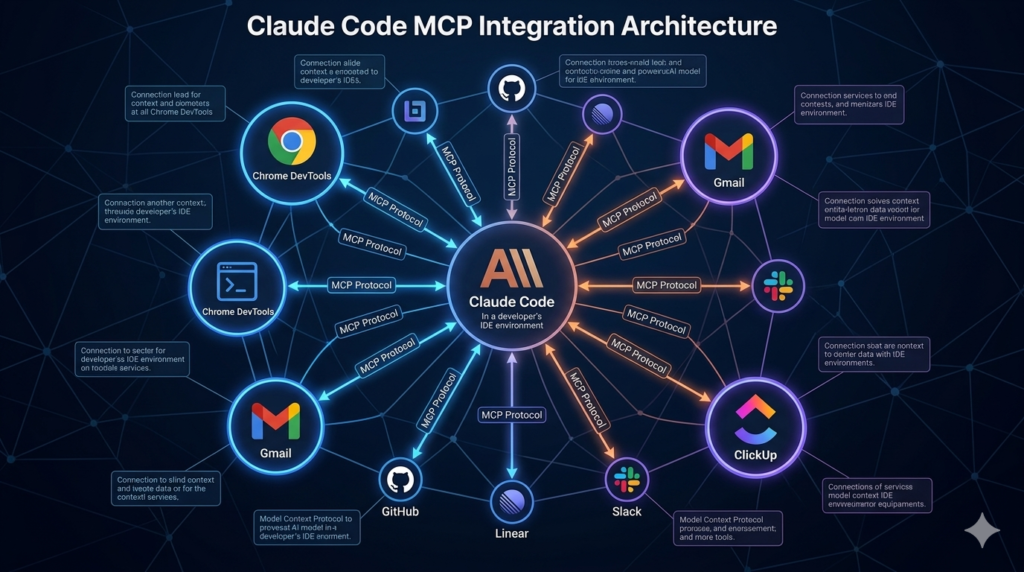
MCP allows you to integrate external tools and services directly into Claude Code. Think of it as giving your AI assistant access to specialized software like browser control, database management, or API interactions.
Popular MCP Servers:
- Chrome DevTools: Control and inspect live browsers
- Gmail MCP: Read, label, and organize emails
- ClickUp MCP: Project management integration
- Stripe MCP: Payment processing
- Custom APIs: Any REST API service
Setup Process:
- Find MCP server on servers.mcp.dev or similar directories
- Copy the JSON configuration
- Paste into Claude Code with install command
- Authenticate with API keys if required
- Start using new tools immediately
Token Efficiency Warning:
MCP tools can consume significant context (10,000-20,000 tokens). Use them for prototyping, then convert successful workflows to Skills for better efficiency.
Subagents and Agent Teams: Parallel Processing Power
Subagents: Focused Task Execution
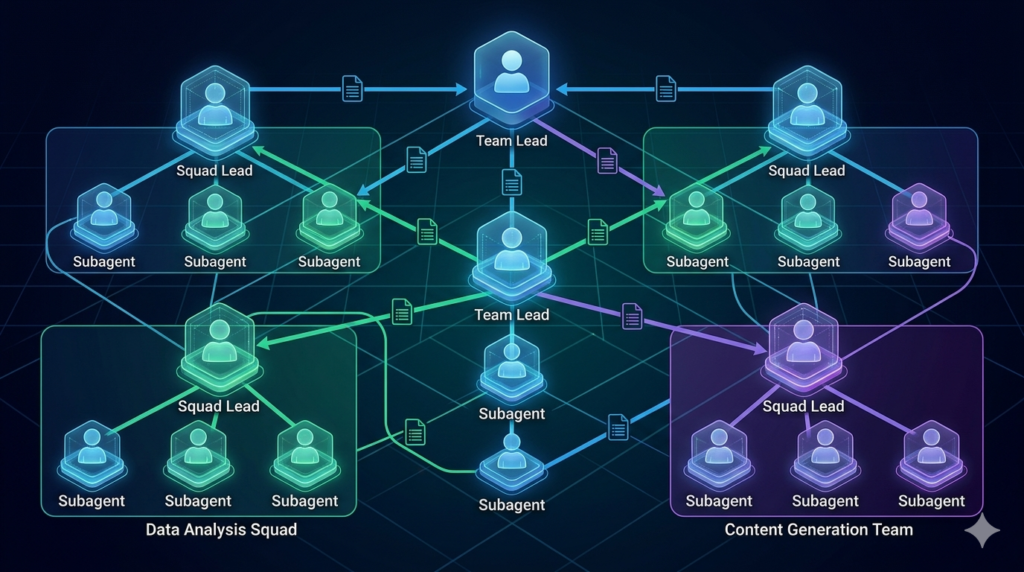
Subagents allow you to spawn specialized agents for specific tasks while maintaining a parent agent for coordination.
Best Use Cases:
- Research Agent: Gather information without polluting main context
- Code Reviewer: Provide unbiased code analysis
- QA/Testing Agent: Run automated tests
- Data Processing: Handle large datasets in parallel
Agent Teams: Collaborative AI Workforce
Agent Teams take parallelization further by creating a team of agents that can communicate with each other, not just the parent.
Key Features:
- Shared task lists and coordination
- Direct agent-to-agent communication
- Mutual scratchpad for collaboration
- Hierarchical management structure
Example Workflow:
- Team Lead spawns 3 design agents
- Each agent creates unique website variant
- Research agents gather best practices
- Debate agents critique and refine
- Final variants presented for selection
Cost Considerations:
Agent Teams consume ~7x more tokens than standard sessions. Use strategically for complex projects requiring diverse perspectives or massive parallelization.
Git Work Trees: Parallel Development Without Conflicts
The Problem with Parallel Development
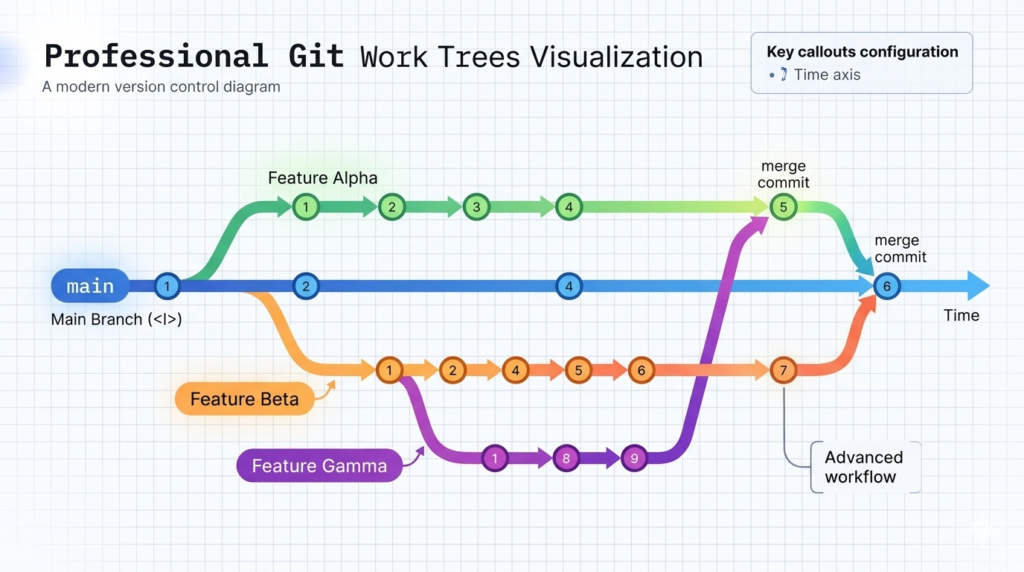
When multiple agents work on the same codebase simultaneously, conflicts arise. Git Work Trees solve this by creating isolated working directories for each feature.
How It Works:
- Main Branch: Your stable production code
- Work Trees: Isolated folders for each feature
- Parallel Development: Agents work independently
- Merge Process: Combine changes systematically
Practical Example:
Building a multi-page website:
- Work Tree 1: Services page
- Work Tree 2: About page
- Work Tree 3: Contact page
- Merge: Combine all into main branch
This approach eliminates file conflicts and allows true parallel development.
Deployment and Production: Going Live
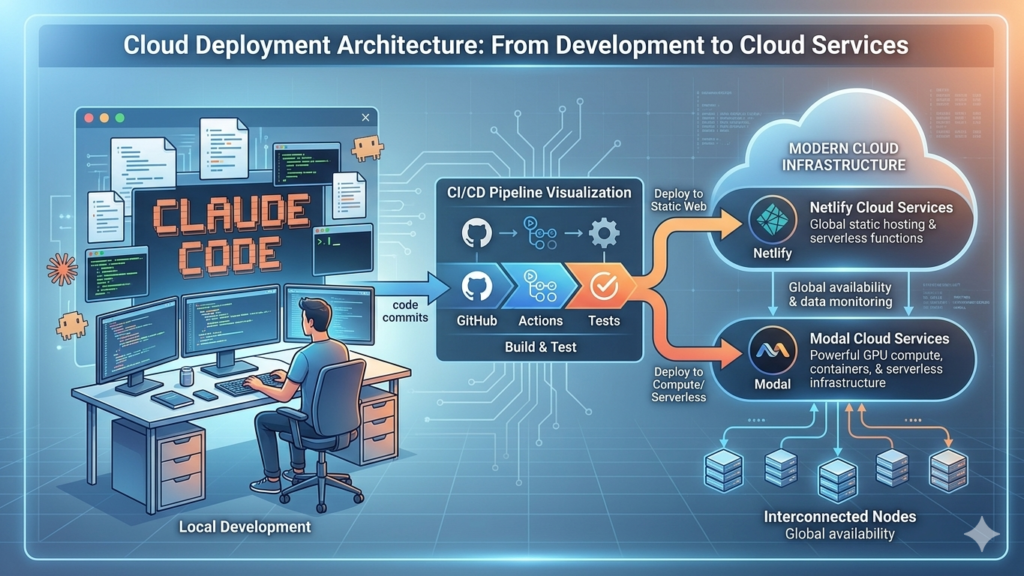
Static Sites: Netlify
For websites and frontend applications:
- Push code to GitHub
- Connect Netlify to repository
- Configure build settings
- Deploy automatically on push
- Add environment variables securely
Backend Functions: Modal
For APIs and backend services:
- Install Modal CLI
- Write function with
@app.function()decorator - Deploy with
modal deploy - Access via public URL
- Integrate with webhooks and no-code platforms
Security Best Practices:
- Never expose sensitive API keys
- Use environment variables
- Implement authentication
- Avoid obvious URLs
- Have security audits for production apps
- Start with internal tools before public release
Conclusion: Your AI-Powered Development Future
Claude Code represents more than just a coding assistant—it’s a complete paradigm shift in how we approach software development. From building your first website to orchestrating complex agent teams, the possibilities are virtually unlimited.
Key Takeaways:
- Start with proper setup and Claude.md configuration
- Use Plan Mode for complex projects
- Leverage Skills for repetitive tasks
- Implement context management strategies
- Experiment with subagents for parallelization
- Deploy confidently with modern platforms
The developers and businesses that master these tools today will have an insurmountable advantage tomorrow. Whether you’re building internal tools, client deliverables, or your next SaaS product, Claude Code provides the leverage to accomplish in hours what previously took weeks.
Ready to transform your workflow? Start with a simple project today, iterate based on results, and gradually incorporate more advanced features. The learning curve is gentle, but the productivity gains are exponential.
Leave a Reply