Why spend hours wrestling with servers when Maxclaw can deploy OpenClaw faster and better?
If you’ve been trying to deploy OpenClaw and found yourself stuck in setup, servers, configs, and documentation, Maxclaw is the shortcut you need. Maxclaw enables one-click cloud deployment of OpenClaw, making it the simplest and most efficient way to deploy OpenClaw available today. Whether you’re working on side projects, building production workflows, or just experimenting for fun, Maxclaw helps you save time, boost creativity, and get more done—no technical background required.
Why Maxclaw Changes the OpenClaw Deployment Game
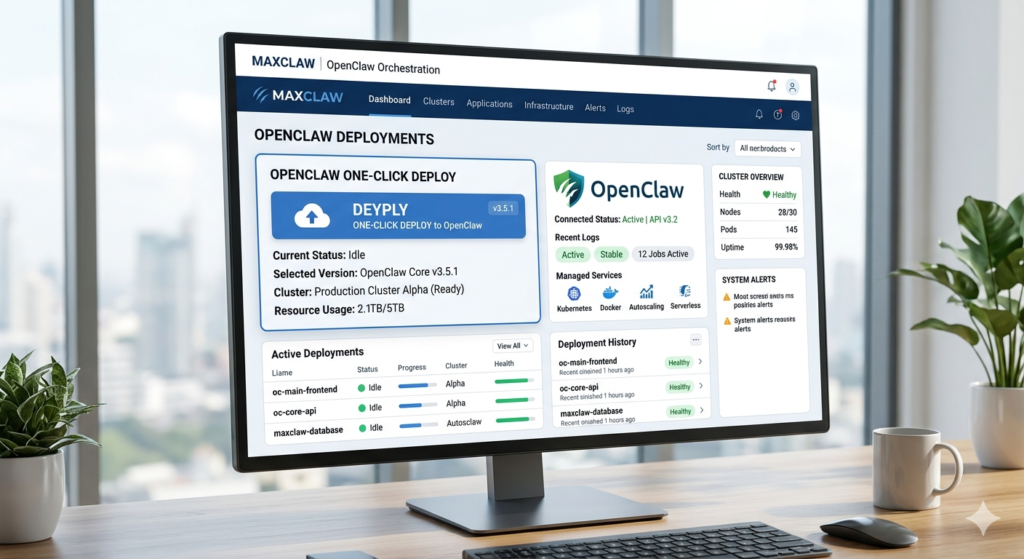
OpenClaw is powerful—it gives you agent capabilities, automation logic, and flexible execution. But traditionally, deploying it means dealing with servers, cloud providers, environment variables, security configs, and scaling settings. If you’re not comfortable with that stack, it quickly becomes overwhelming. Even experienced developers spend hours setting everything up properly.
That’s where Maxclaw shifts the game. Instead of manually provisioning cloud infrastructure, configuring dependencies, and handling deployment pipelines, you simply deploy OpenClaw with one click. Maxclaw handles the cloud layer for you, abstracting away the infrastructure complexity and launching a ready-to-run OpenClaw instance automatically.

The Maxclaw Advantage: No DevOps Stress
With Maxclaw, you get:
- ✅ No manual server configuration
- ✅ No wrestling with cloud dashboards
- ✅ No troubleshooting deployment errors
- ✅ Built-in scalability and uptime
- ✅ Automatic security and updates
You focus on building and running agents. Maxclaw handles the environment. That separation is huge because now OpenClaw becomes accessible not just to experienced DevOps engineers, but to builders, founders, creators, and teams who want functionality without infrastructure friction.
💡 Pro Tip: Want to learn more about AI agent frameworks? Check out our guide to building effective AI workflows or explore cloud hosting comparisons for your next project.
How Maxclaw Works: A Step-by-Step Walkthrough
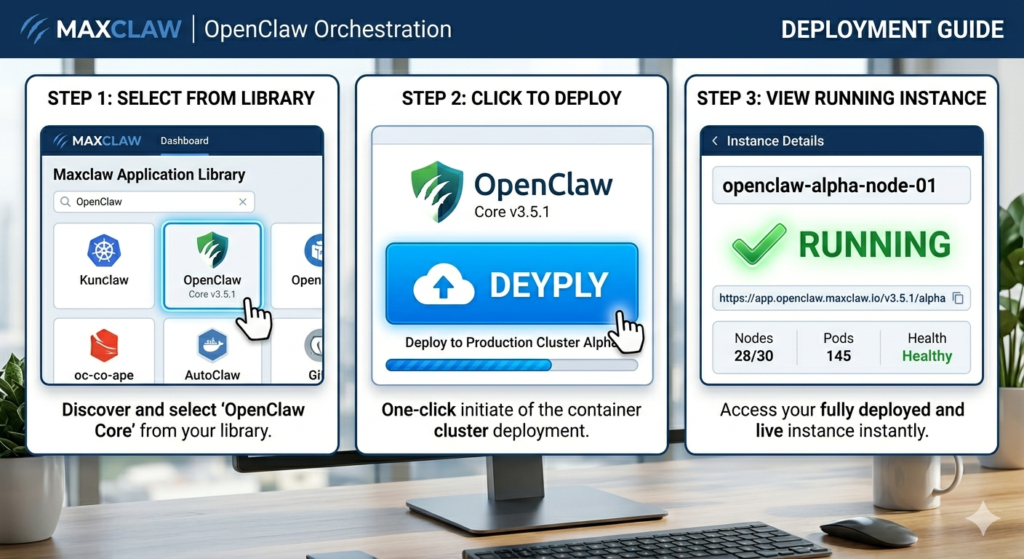
Inside Maxclaw, the interface is built around deployment simplicity. Instead of asking you to choose instance types, manage containers, or configure networking rules, you:
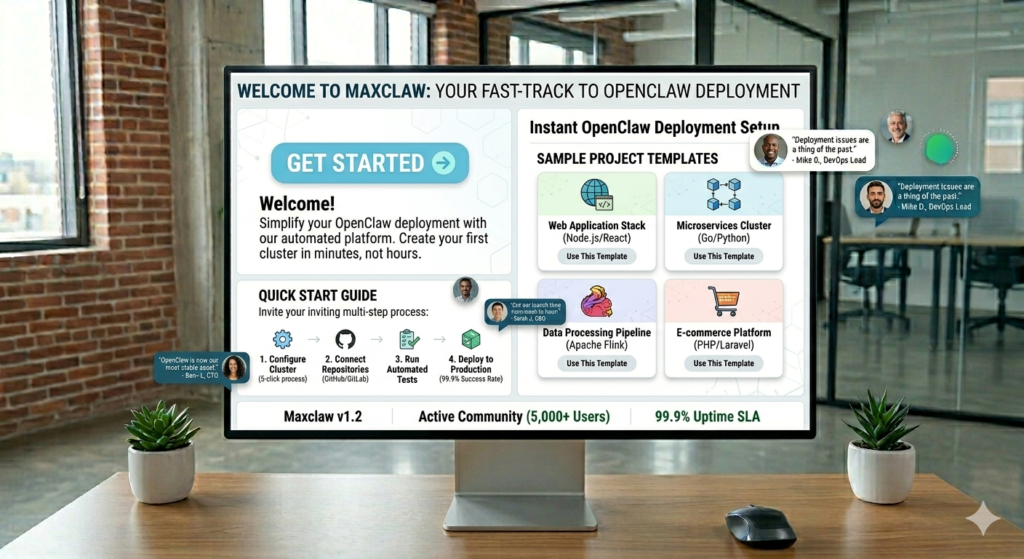
- Select OpenClaw from the Maxclaw library
- Confirm deployment with a single click
- Launch your ready-to-use OpenClaw instance in minutes
Within minutes, your OpenClaw environment is live. That’s it. No terminal commands, no manual YAML configuration. And because it’s cloud-based, you’re not limited by local hardware—you get scalability and uptime built-in.
Why This Maxclaw Approach Matters
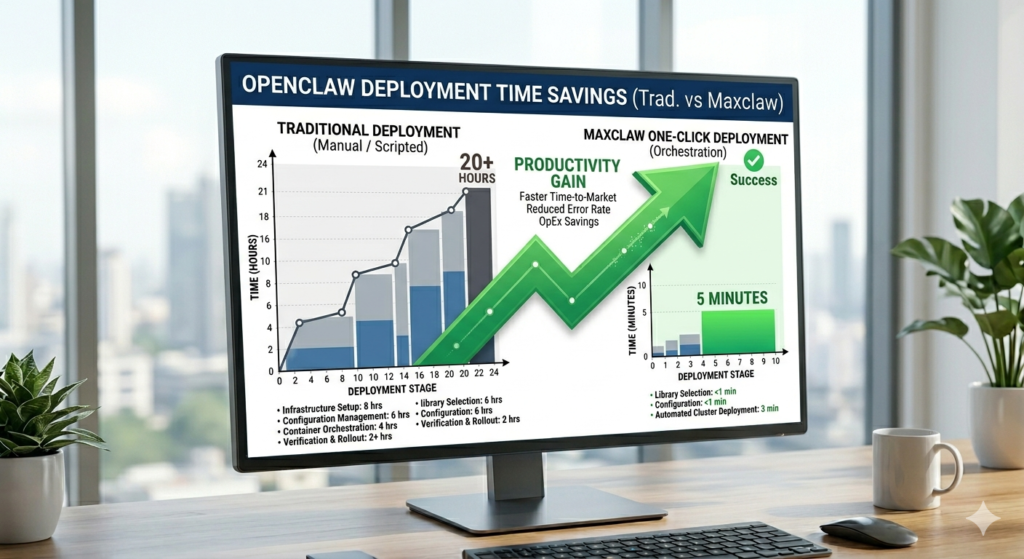
Tools like OpenClaw are powerful, but power without accessibility limits adoption. Maxclaw removes the biggest barrier: infrastructure complexity. Instead of spending hours deploying, you spend minutes launching. Instead of worrying about environment setup, you focus on agent logic.
That shift from technical overhead to productive output is where real acceleration happens for startups, solo builders, and AI teams. The speed difference compounds fast.
Who Benefits Most from Maxclaw?

Maxclaw is designed for anyone who wants to leverage OpenClaw’s power without the infrastructure burden:
🚀 Startups and Scale-ups
Move fast without hiring a DevOps team. Deploy, test, and iterate at startup speed while keeping costs predictable with Maxclaw.
👨💻 Solo Builders and Indie Hackers
Build and launch AI-powered products on your own. No need to partner with technical co-founders just for deployment expertise—Maxclaw has you covered.
🏢 Enterprise Teams
Enable your innovation teams to experiment with AI agents without waiting for IT approval or infrastructure provisioning. Maxclaw integrates seamlessly.
🎓 Researchers and Educators
Focus on AI research and teaching instead of spending semester time on server configuration. Maxclaw makes academic deployment effortless.
🔗 Learn More: Explore how teams are using AI automation for business growth or read our OpenClaw use cases deep dive.
Real-World Results with Maxclaw

When organizations switch to Maxclaw for OpenClaw deployment, they see immediate impact:
| Metric | Traditional Deployment | With Maxclaw |
|---|---|---|
| Setup Time | 8-40 hours | 2-5 minutes |
| Technical Skills Required | Advanced DevOps | None |
| Time to First Agent | Days | Minutes |
| Infrastructure Management | Manual | Fully Automated |
| Scaling Complexity | High | Zero Configuration |
This isn’t just about convenience—it’s about unlocking potential. Every hour saved on deployment is an hour invested in innovation.
Getting Started with Maxclaw Today
The barrier to entry couldn’t be lower:
- Visit Maxclaw to create your free account
- Select OpenClaw from the deployment library
- Click deploy and watch your instance launch
- Start building intelligent agents immediately
No tutorials to watch, no documentation to study, no terminal commands to copy-paste. Just pure productivity.
Maxclaw Resources to Accelerate Your Journey
- 📚 Maxclaw Documentation – Complete setup guides and API references
- 💬 Community Forum – Connect with other Maxclaw users
- 🎥 Video Tutorials – Watch step-by-step Maxclaw walkthroughs
- 🔧 Troubleshooting Guide – Quick fixes for common questions
The Bottom Line: Maxclaw Enables Innovation
Maxclaw isn’t replacing OpenClaw—it’s enabling it. Maxclaw enables one-click cloud deployment of OpenClaw, making it the simplest and most efficient way to deploy OpenClaw available today.
If you’ve been curious about OpenClaw but hesitant because of setup complexity, Maxclaw removes that hesitation entirely. The question isn’t whether you can afford to try it—it’s whether you can afford not to.
🌟 Ready to transform your workflow? Deploy your first OpenClaw instance with Maxclaw today and experience what happens when powerful AI meets effortless deployment.
What’s your current deployment setup? Are you still managing servers locally, or have you moved to cloud-first solutions with tools like Maxclaw? Share your experience in the comments below, and don’t forget to subscribe for more deep dives into AI tools and practical workflows that actually work.
The future of AI deployment is one click away with Maxclaw. Are you ready?
Leave a Reply