
Introduction: Why Claude COWORK Changes Everything
Claude COWORK isn’t just another chatbot—it’s an AI agent that lives on your desktop and actually does things on your computer. Imagine having 10 personal assistants who never sleep, have a 500 IQ, and cost less than a single DoorDash order per month.
This guide shows you how to go from beginner to AI power user, with real setups that save hours weekly and generate real results.

Quick Start: Install in 3 Minutes
- Download Claude COWORK from the official website (Mac/Windows/Linux)
- Install by dragging to Applications or follow the installer prompts
- Launch with Command+Space and type “Claude”
- Sign up with email + phone verification
- Choose Pro plan ($20/month) for full COWORK access
Pro Tip: The Pro plan gives enough tokens for most users. Only upgrade to Max ($100) if you’re doing massive coding projects daily.
Why Most People Get Mediocre AI Results
Claude isn’t magic—it’s a super-smart nerd with specific strengths and weaknesses:
✅ Great at: Processing knowledge, following instructions, pattern recognition
❌ Weak at: Knowing YOUR context, long-term memory, human taste/judgment
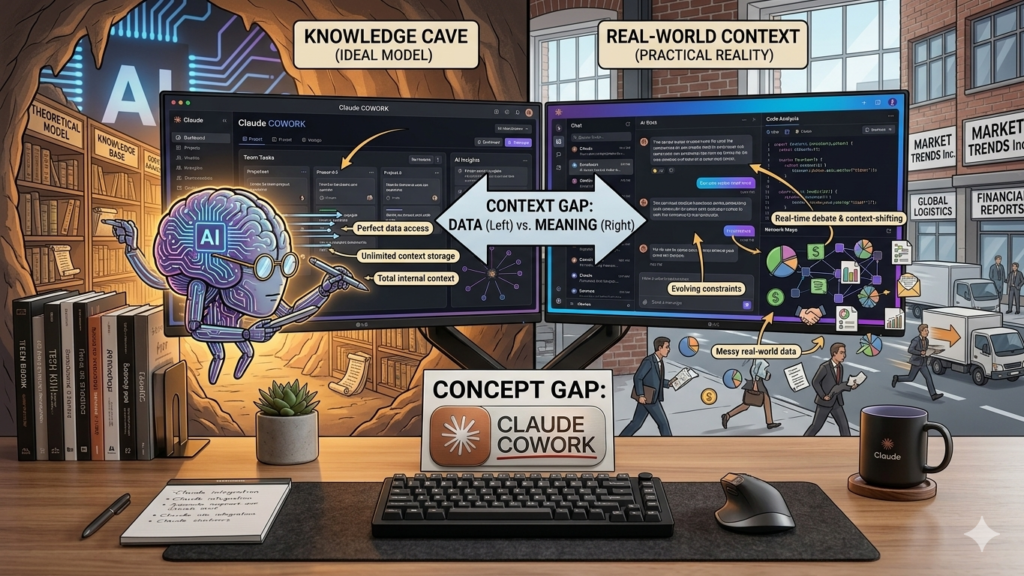
The Brown Website Problem: When you ask Claude COWORK to “make a website,” it gives you a muddy average of everything it knows. The perfect, colorful site you want is in there—you just need to give precise context and constraints to extract it.
The 4 Keys to Incredible AI Outputs
Key #1: Precise Context Only
Give Claude COWORK ONLY what it needs for the specific task. Too much context = confused AI. Think: chef getting pizza ingredients, not your entire pantry.
Key #2: Better Inputs = Better Outputs
Garbage research + vague examples = garbage results. Invest time in quality inputs: clear goals, great examples, concise instructions.
Key #3: Human Checkpoints
Don’t “set and forget.” Review drafts, give feedback, iterate. The best outputs come from human-AI collaboration.
Key #4: Iterate Through Doing
Test skills repeatedly. Refine based on results. Small improvements compound into exceptional systems.
Essential Concepts Simplified
| Concept | Simple Explanation | Pro Tip |
|---|---|---|
| Tokens | Words/pieces of words Claude processes | Keep usage under 500K for best performance |
| Context Window | Claude’s “whiteboard” per conversation | Start fresh chats for new projects |
| Markdown Files | Simple text docs Claude reads/writes fast | Store brand voice, SOPs, project specs here |
| Front Matter | Metadata tags telling Claude when to use a file | Prevents context bloat, improves accuracy |
| Skills | Reusable instruction files for specific tasks | Start small: automate one annoying task |
Build Your First Skill: 5-Step Tutorial
Goal: Automate coaching call transcriptions with timestamps
- Define outcome: “Transcribe calls + create clickable chapter timestamps”
- Tell Claude COWORK: “Help me automate transcription with timestamps for video descriptions”
- Let Claude work: It will ask questions, suggest tools (like Whisper), test with your file
- Refine with feedback: “Make timestamps 10-15 words max” / “Add line breaks for readability”
- Save as skill: Claude creates a
skill.mdwith trigger, inputs, process, output rules
Result: One command transcribes any call and formats perfect timestamps—saving 30+ minutes per session.
Real Results: What’s Possible
🎥 YouTube Automation: Claude COWORK analyzes your top videos, generates 3-5 ideas daily, writes scripts, auto-uploads → 7,000+ views in week one
💼 Email Service: AI researches, outlines, formats client emails → $2,000/month revenue, 1 hour/week work (was 10 hours)
🧠 Second Brain: Obsidian + Claude COWORK reads all your notes, provides accountability, pulls ideas instantly → 10x productivity
🚀 App Development: Save ideas → Claude validates, creates specs + UI mockups → Engineer works 20x faster

Avoid These 3 Critical Mistakes
❌ Automating everything: Keep creative work human. Automate boring tasks only.
❌ Tool-first thinking: Don’t chase features. Start with your problems, then find tools.
❌ No human oversight: AI will happily generate garbage. Always review, feedback, iterate.
Your 7-Day Action Plan
| Day | Action |
|---|---|
| 1 | Install Claude COWORK + complete setup |
| 2 | Create first simple skill (automate 1 small task) |
| 3 | Build context library (markdown files about your work) |
| 4 | Add claude.md to main project folder |
| 5 | Link 2 skills into a mini-system |
| 6 | Refine based on real results |
| 7 | Document wins + plan next automation |
Start small. Iterate daily. Compound results.

Conclusion: Your AI-Powered Future Starts Now
Claude COWORK isn’t about replacing you—it’s about augmenting your capabilities. The winners in this new era will be those who:
- Provide precise context, not vague prompts
- Build systems, not just one-off tasks
- Iterate quickly and learn from failures
- Focus on real problems and measurable outcomes
You now have the framework. The only question: What will you build first?
Start with one small automation today. In 30 days, you’ll wonder how you ever worked without AI.

Leave a Reply