You won’t believe how often this problem surfaces. Businesses everywhere are excited about AI automation, but beneath those innovative ideas lies a fundamental challenge: messy, scattered data. AI automates your CRM updates when implemented correctly, but only after solving the underlying data organization problem.
Consider a typical real estate agency scenario. They want an AI system that generates final reports from project documents. However, their data lives everywhere—fragments in their CRM, files scattered across folders, and crucial documents buried in email inboxes. Before deploying sophisticated AI writers, they needed a system that centralizes everything and keeps their CRM current automatically.

The Hidden Data Problem Killing Your Productivity
Most businesses struggle with manual data juggling. Information arrives through multiple channels—emails, document uploads, client forms—yet remains trapped in silos. Team members waste countless hours copying data between systems, filing documents manually, and updating CRM records one field at a time.
The solution isn’t more manual processes or additional software. It’s intelligent automation that:
- Captures files from emails automatically
- Organizes documents in properly named folders
- Extracts key information from attachments
- Updates CRM fields without human intervention
- Creates audit trails effortlessly
Once your data flows automatically into the right places, tasks like completing final reports become trivial. All information sits ready in your CRM, eliminating the need for tedious data hunting.
How AI Automates Your CRM Updates in Real-Time
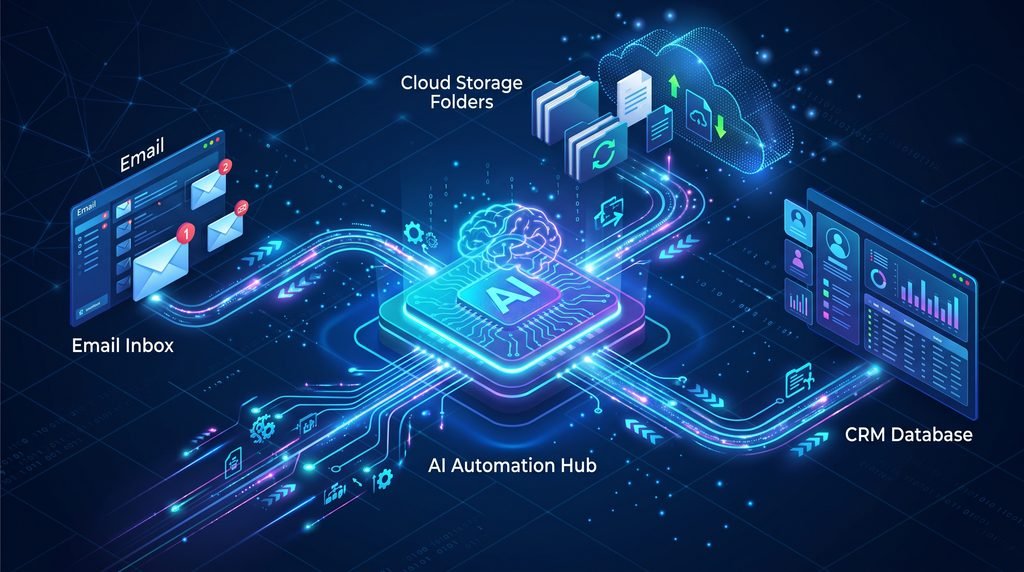
Modern automation platforms like n8n enable businesses to create sophisticated workflows without coding expertise. These systems monitor your project management tools, email inboxes, and cloud storage simultaneously, triggering actions based on specific events.
Creating Automated Folder Structures
The foundation of organized data starts with automatic folder creation. When a project advances to a specific stage—like “Active Client” in a real estate pipeline—the system instantly creates a dedicated Google Drive folder named after the project.
This process works by:
- Monitoring status changes in your project management tool (ClickUp, Asana, Monday.com)
- Filtering for specific transitions that require new folders
- Checking for existing folders to prevent duplicates
- Creating properly named directories in your cloud storage
For example, when Nina Patel, David Lean, and John Sterling move to “Active Client” status, three corresponding folders appear instantly in Google Drive—ready to receive documents.
Email Attachment Processing
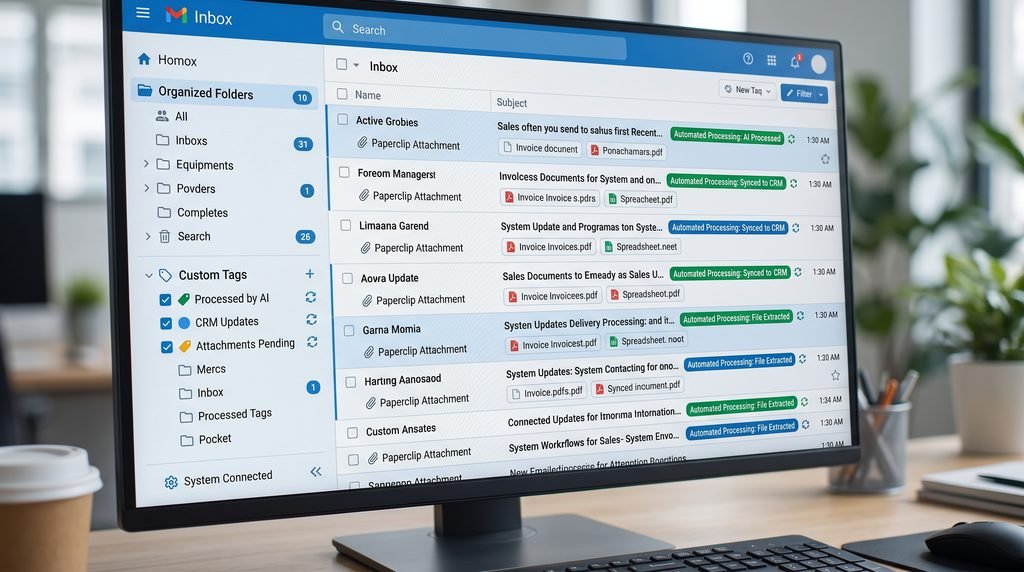
The real magic happens when the system monitors your inbox for client communications. Instead of manually downloading and filing attachments, the automation:
- Scans emails from active clients once daily (typically at midnight to capture the full day’s communications)
- Identifies messages with attachments from qualified projects
- Downloads files automatically to the correct project folder
- Adds timestamps to filenames preventing overwrites when multiple versions exist
- Labels processed emails to avoid duplicate handling
This approach is far more efficient than real-time triggers. Running checks once daily consumes minimal automation executions while keeping everything organized.
Intelligent Data Extraction
Once documents land in the right folders, AI-powered extraction tools analyze their contents. For real estate transactions, the system might:
- Parse PDF agreements of purchase
- Extract closing dates, seller names, and property addresses
- Identify document types using natural language processing
- Populate specific CRM fields with extracted data
The extraction process uses advanced AI models (like GPT-4) to understand document context, not just text. It recognizes that “Form 100” and “Agreement of Purchase and Sale” refer to the same document, ensuring accurate data capture regardless of naming variations.
Step-by-Step: Building Your CRM Automation
Creating this system requires connecting three core components: your project management platform, email service, and cloud storage.
Setting Up n8n Workflows
The automation consists of two primary workflows:
Workflow 1: Folder Creation Trigger
- Uses ClickUp’s status update trigger
- Filters for transitions to “Active Client”
- Retrieves project names via task ID
- Searches for existing folders (preventing duplicates)
- Creates new Google Drive directories
Workflow 2: Email Processing System
- Runs on a daily schedule (11:59 PM)
- Fetches projects in “Offer Made” or “Offer Accepted” stages
- Retrieves client email addresses from connected CRM fields
- Scans Gmail for messages from those addresses
- Downloads attachments and saves them with timestamps
- Extracts data from qualifying PDFs
- Updates ClickUp custom fields
- Applies “Processed” labels to handled emails
[Internal Link: Download Free Automation Templates – aitoolsupdates.net/automation-templates]
Connecting Your Tools
ClickUp Integration: Authorize your workspace through n8n’s credential system. Select your organization and specify which lists to monitor. Copy the list ID from your browser’s URL bar when viewing the project board.
Google Drive Setup: This requires creating a Google Cloud Console project and enabling the Drive API. Generate OAuth credentials (client ID and secret), then configure authorized redirect URIs. [Link: Google Cloud Console Documentation – https://console.cloud.google.com]
Gmail Connection: Simply click “Sign in with Google” within n8n. Grant permissions to read messages and manage labels. The system handles the OAuth flow automatically.
Advanced Tips for Maximum Efficiency
While basic PDF extraction works well for standard documents, complex scenarios require enhanced tools. Documents with:
- Embedded images
- DocuSign signatures
- Scanned handwritten notes
- Multi-column layouts
…may need specialized OCR (Optical Character Recognition) solutions. [Link: Best AI Document Processing Tools 2024 – https://www.gartner.com]
Consider implementing:
- Error handling nodes that alert you when extraction fails
- Backup workflows for critical documents
- Validation rules ensuring extracted data meets format requirements
- Notification systems keeping team members informed of updates
[Internal Link: Advanced AI Automation Strategies – aitoolsupdates.net/advanced-automation]
Getting Started with Your Automation
The beauty of this system lies in its adaptability. Whether you’re in real estate, legal services, consulting, or healthcare, the principles remain identical:
- Identify your data sources (email, forms, uploads)
- Map your project stages requiring automation
- Define which documents need processing
- Determine CRM fields requiring updates
- Build workflows incrementally, testing each component
Start with the folder creation workflow—it delivers immediate value by organizing chaos. Then layer on email processing, followed by data extraction. Each addition compounds the time savings.
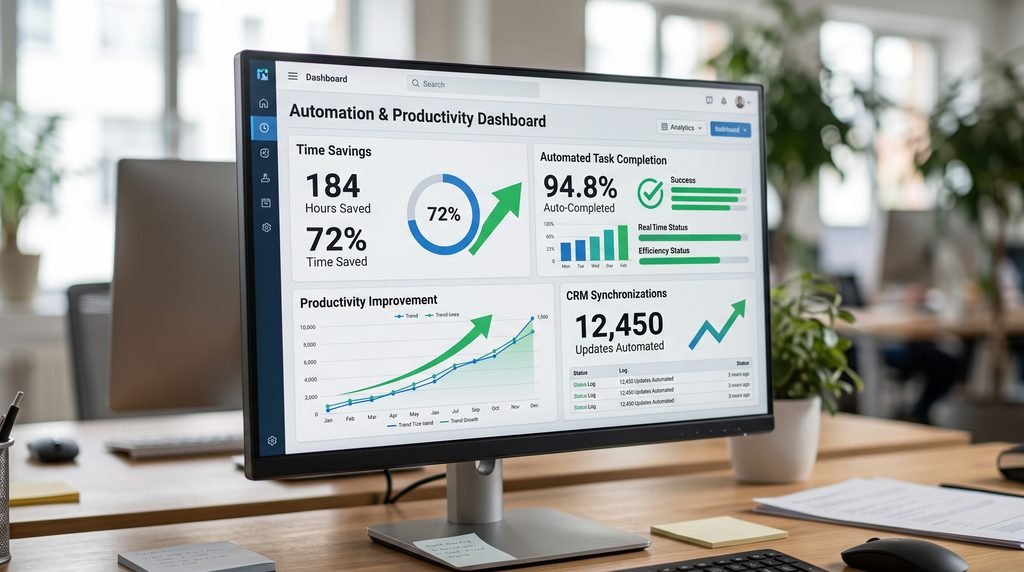
Businesses implementing these automations report saving 10-15 hours weekly on administrative tasks alone. That’s time reinvested in client relationships, business development, or simply enjoying life beyond work.
Ready to transform your workflow? Within hours, you’ll experience what thousands of businesses already know: when AI automates your CRM updates, magic happens.
The future of work isn’t about working harder—it’s about building smarter systems that handle the mundane while you focus on what truly matters. Start automating today, and reclaim your tomorrow.
Leave a Reply