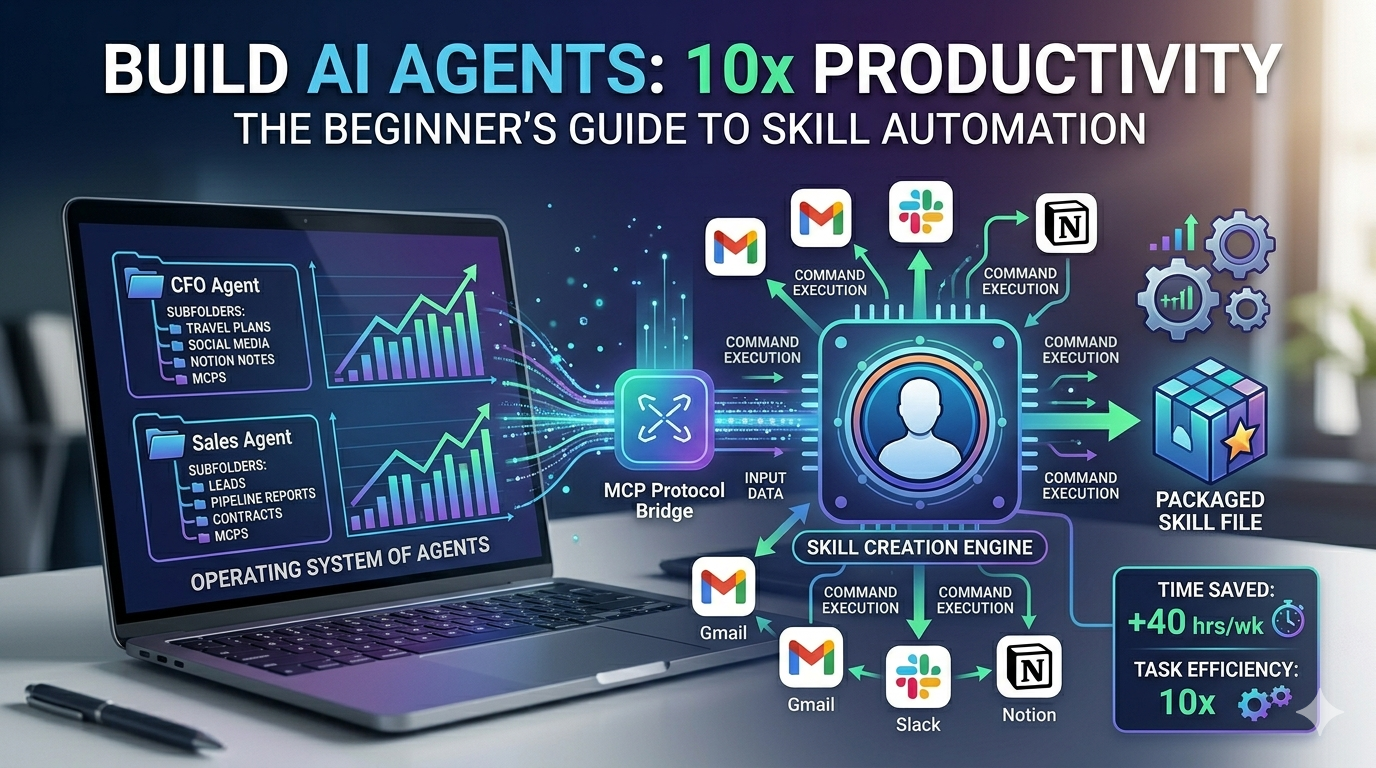
Artificial intelligence is confusing. There, we said it. With terms like MCPs, agent harnesses, context engineering, and skills floating around, it’s no wonder most people feel left behind. But here’s the truth: AI agents are the future of work, and those who master them now will be 10-20 times more productive than everyone else.
The AI landscape is rapidly evolving from simple chat models to autonomous agents. While most people are still stuck in the chat paradigm—asking questions and getting answers—the smartest founders and employees are already deploying AI agents that transform goals into results. This guide will teach you everything you need to know to build your own AI agents, starting today in 2026.
Chat Models vs AI Agents: Understanding the Fundamental Shift
The first step to mastering AI agents is understanding how they differ from traditional chat models. Think of it this way:
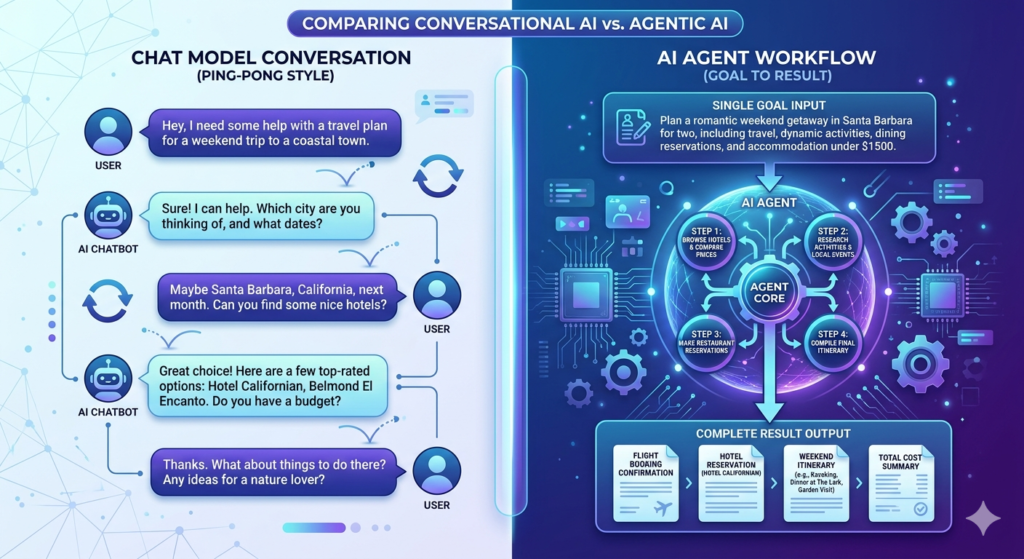
Chat models are question-to-answer. You ask something, get a response, and then you do the work. It’s like ping-pong—back and forth, back and forth.
AI agents are goal-to-result. You give the agent a task, it plans, executes, and delivers a complete result without constant babysitting.
When you tell a chat model to “build me a website,” it might give you some code snippets. When you tell an AI agent to “build me a website,” it goes away, does the research, writes the code, tests it, and delivers a fully functional website.
The Agent Loop: How AI Agents Actually Work
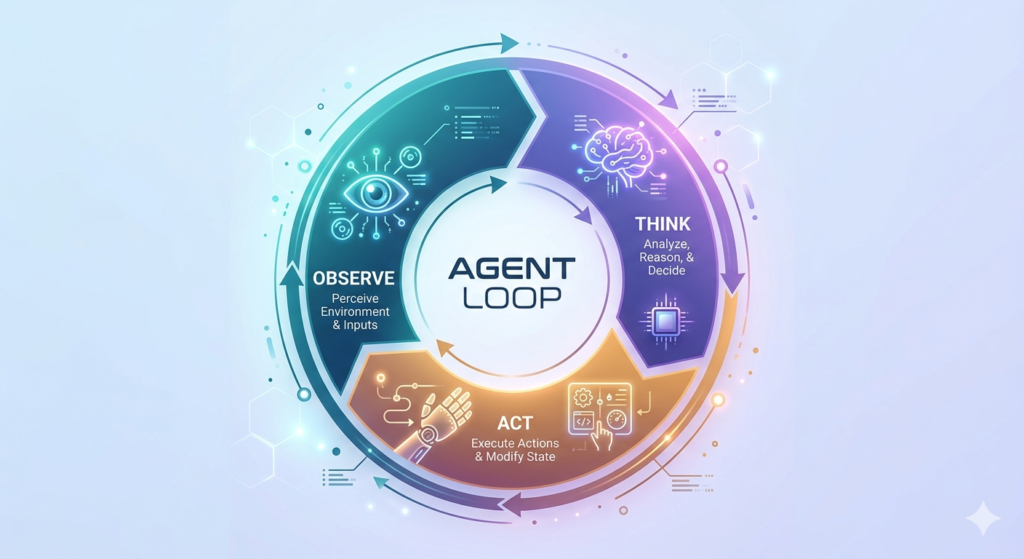
Inside every AI agent is what’s called the agent loop—a continuous cycle of three steps:
- Observe – The agent checks its environment, reviews files, and gathers information
- Think – The agent processes what it knows and decides what to do next
- Act – The agent executes its decision and feeds the results back into the loop
This loop continues until the task is complete based on the parameters you’ve set. For example, if you ask an agent to “research 10 sources and create a PowerPoint report,” it will keep looping through observe-think-act until it has exactly 10 sources and a completed PowerPoint.
What Are Agent Harnesses in 2026?
An agent harness is the platform that facilitates this loop. Popular options in 2026 include:
- Claude Code
- Cline
- Cursor
- OpenClaude
- Manis
- Perplexity Computer
- New emerging platforms with enhanced autonomy
Think of agent harnesses like different cars. Once you learn to drive (understand the core concepts), you can jump into any car—whether it’s a Toyota or a Range Rover—and operate it. Some have better features (seat warmers, cruise control), but the fundamentals remain the same.
The key is understanding the underlying concepts, not memorizing which button does what in each platform.
Building Your First AI Agent: The Executive Assistant
Let’s build a practical AI agent together—an executive assistant that will save you 1-2 hours every single day.
Step 1: Set Up Your Folder Structure
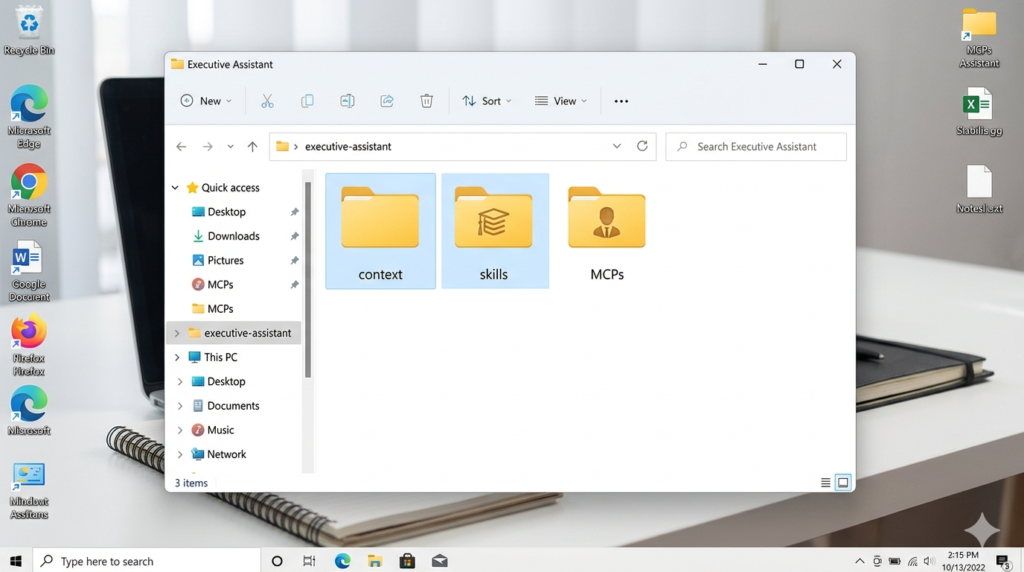
Create a folder on your computer called “executive-assistant.” This is where all your agent’s context, memory, and skills will live. Unlike chat models that store memory in the cloud (where you can’t control it), agents work off local files that you completely own and control.
Step 2: Create Your agents.md File
The agents.md file (called claude.md in Claude Code, gemini.md in Gemini) is your agent’s brain. It’s a system prompt that loads automatically into every session, providing context about:
- Who you are
- What your business does
- Your working preferences
- Tools you use
- Communication style
Without this file, your agent knows nothing about you. With it, you can give simple prompts like “write me a cold email” and get perfectly tailored results.
Here’s what to include:
- Your role and business description
- Target audience and ideal customer profile
- Brand voice and tone preferences
- Tools you use (Notion, Stripe, Gmail, etc.)
- Working preferences and constraints
Pro tip: Use a chat model to interview you and generate this file automatically. Just say: “Ask me questions to help me build an agents.md file for my executive assistant.”
Step 3: Implement the Self-Improving Loop with memory.md
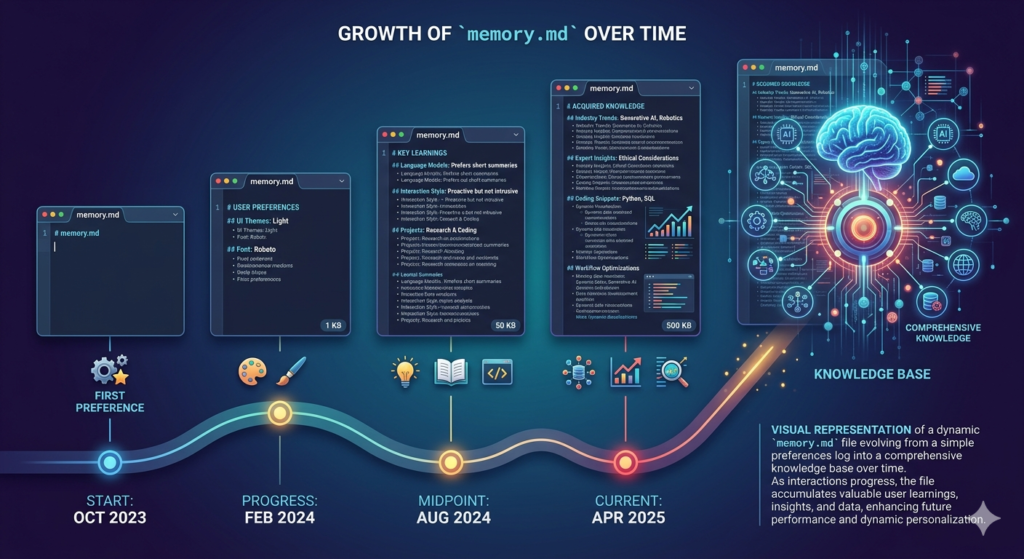
Here’s a critical problem: Even with an agents.md file, your agent won’t remember preferences you mention during conversations unless you manually update the file.
The solution? Create a memory.md file and add this instruction to your agents.md:
“Read memory.md before every task. When you learn something new or I correct you, update the relevant section in memory.md. Keep it current and replace outdated information.”
Now when you say “my favorite color is lavender” or “never sign off emails with ‘cheers,’ use ‘warm regards,’” the agent will automatically save these preferences to memory.md. Over time, this file compounds your agent’s intelligence, reducing errors and improving performance.
Step 4: Connect Tools with MCP (Model Context Protocol)
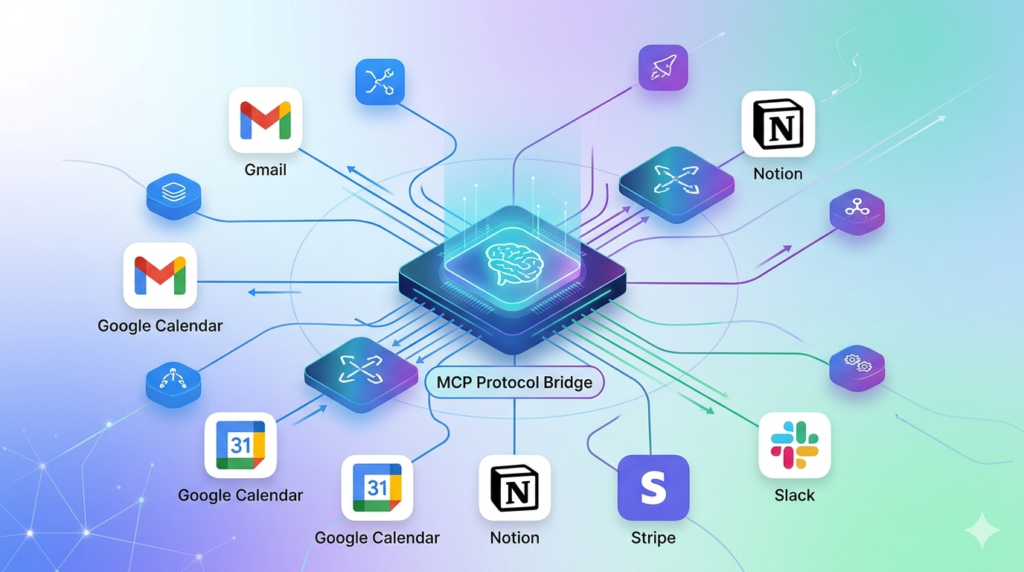
By default, agents only have web search. To unlock real productivity, you need to connect your tools—Gmail, Calendar, Notion, Stripe, etc.
This is where MCP (Model Context Protocol) comes in. Before MCP, connecting tools required extensive custom development because each tool “spoke a different language.” MCP acts as a universal translator, allowing your agent to communicate with any tool seamlessly.
Most agent harnesses make this easy:
- Go to Connectors or Settings
- Browse available tools
- Click to connect and authenticate
Once connected, your agent can:
- Summarize your inbox
- Draft emails based on meeting notes
- Create Stripe payment links
- Set up Notion projects
- Schedule calendar events
Step 5: Build Skills (SOPs for AI)
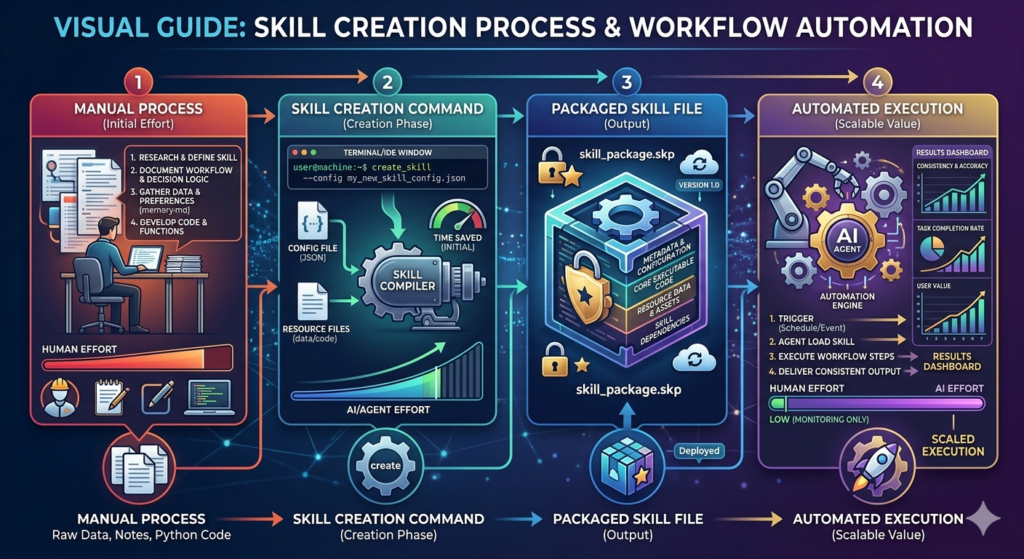
Skills are standard operating procedures for AI. They package up processes so you never have to explain them twice.
Without skills: You ask for a proposal, go back and forth 15 times adjusting formatting, colors, and structure. Next week, you start from scratch.
With skills: You create a “proposal skill” once, and every proposal follows your exact specifications automatically.
Two ways to create skills:
- From existing content: Upload a course, SOP document, or process guide and ask the agent to “create a skill from this.”
- From live work: Complete a process manually, then say “create a skill for what we just did.” The agent will package the entire workflow.
Real-world example: One agency owner built an “ads analyst skill” that:
- Scrapes competitor ad libraries
- Takes screenshots of landing pages
- Analyzes visuals and copy
- Generates comprehensive reports
What used to take 3-4 hours now takes 5 minutes.
Advanced: Chaining Skills and Scheduled Tasks in 2026
Once you have multiple skills, you can chain them together. For example:
Morning Brief Skill:
- Runs at 9 AM daily
- Summarizes inbox
- Reviews calendar
- Checks Notion projects
- Uses “meeting prep skill” for upcoming calls
- Uses “research skill” for podcast guests
- Sends you a comprehensive email brief
Most agent harnesses now support scheduled tasks (cron jobs), allowing you to automate recurring workflows without any manual intervention. In 2026, these scheduling features have become even more robust with conditional triggers and cross-agent coordination.
Global vs Project-Level Configuration
You can configure skills, MCPs, and context files at two levels:
Global: Applies to every project (e.g., a “truncate text” skill you use everywhere)
Project-level: Specific to one agent (e.g., a “refer to Sebastian” skill only needed in your executive assistant)
This keeps context clean and prevents irrelevant information from cluttering specific agents.
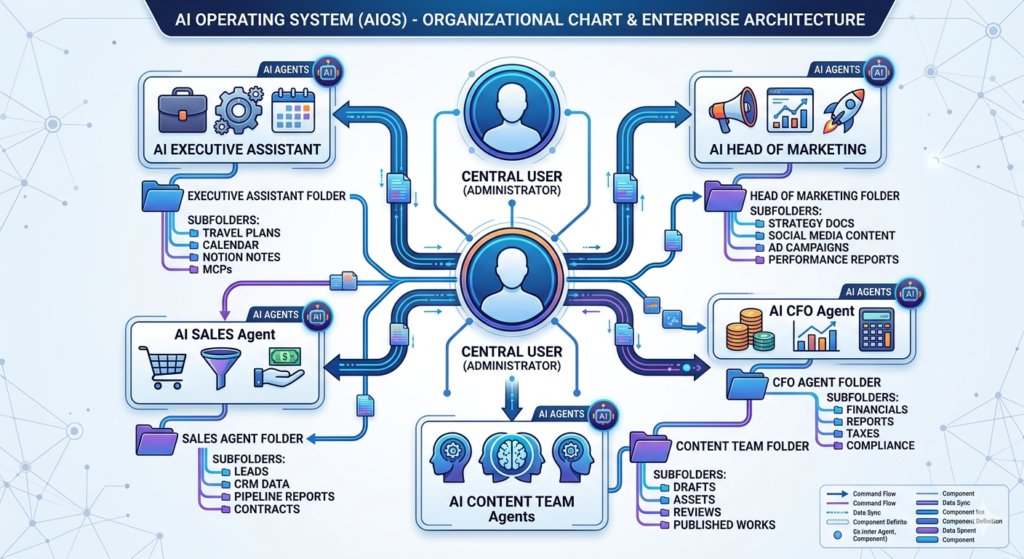
Your AI Operating System (AIOS) in 2026
The ultimate goal? Build your AI Operating System—a comprehensive network of agents managing every department of your life and business:
- Executive Assistant (daily tasks)
- Head of Marketing (ads, content, analytics)
- CFO (financial tracking, invoicing)
- Content Team (research, writing, publishing)
- Sales Agent (outreach, follow-ups, CRM)
Each agent has its own folder with:
- agents.md (role-specific context)
- memory.md (learned preferences)
- Skills (department-specific processes)
- MCPs (relevant tools)
Getting Started Today in 2026
Here’s your action plan:
- Pick one agent harness (Claude Code, Cline, or Cursor are great for beginners)
- Build your executive assistant following the steps above
- Create your agents.md file using an interview-style prompt
- Set up memory.md for continuous learning
- Connect 2-3 essential tools via MCP
- Build your first skill from a repetitive task
- Compound weekly by adding 3-5 new skills
Remember: The goal isn’t perfection. It’s progress. Every skill you build, every preference you save, every tool you connect compounds over time. In six months, you’ll have an AI workforce that makes you 10x more productive.
The future belongs to those who start building today.
Ready to build your AI agents in 2026? Start with your executive assistant folder right now. In one week, you’ll wonder how you ever worked without it.

Leave a Reply