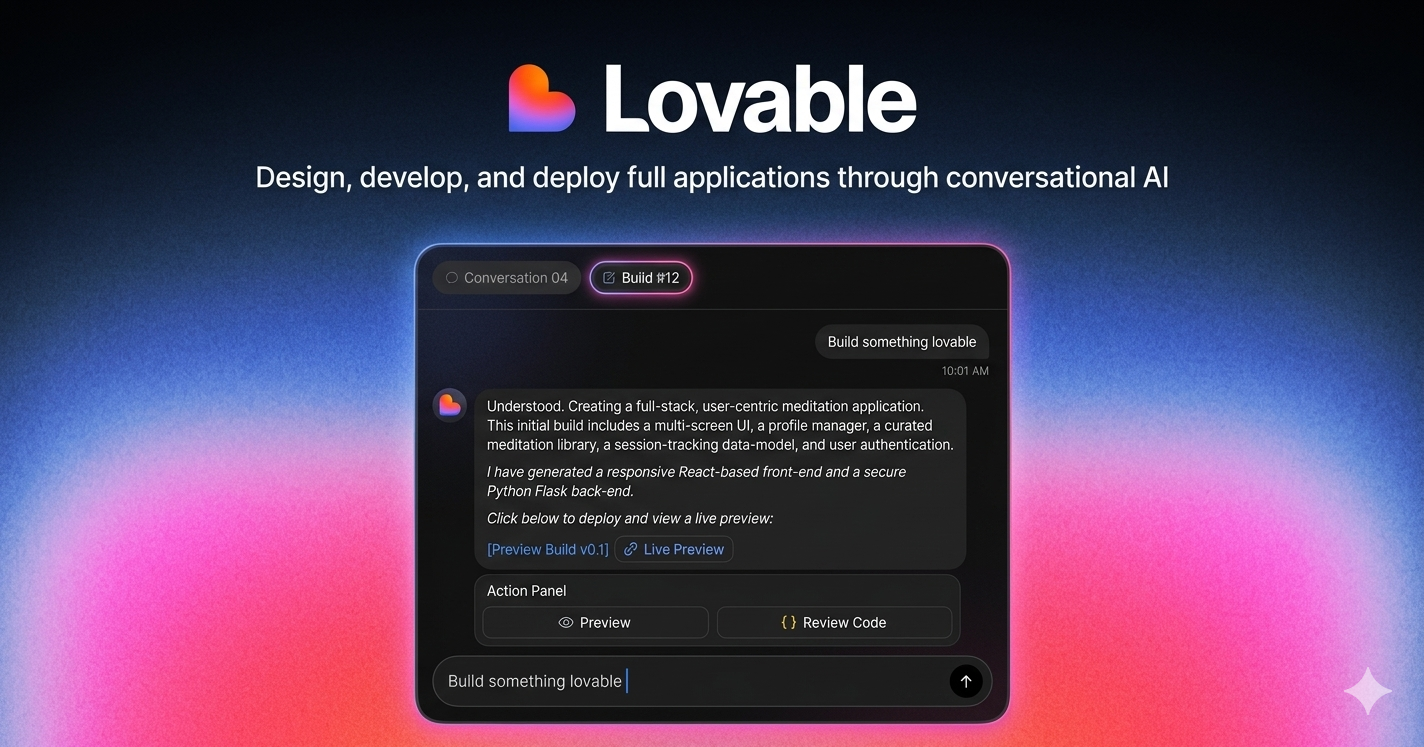
The landscape of web development is undergoing a revolutionary transformation, and Lovable AI is at the forefront of this change. Whether you’re a seasoned developer looking to speed up your workflow or a complete beginner with zero coding experience, this comprehensive Lovable AI tutorial will show you how to create professional websites and functional applications in minutes—not months.
What is Lovable AI?
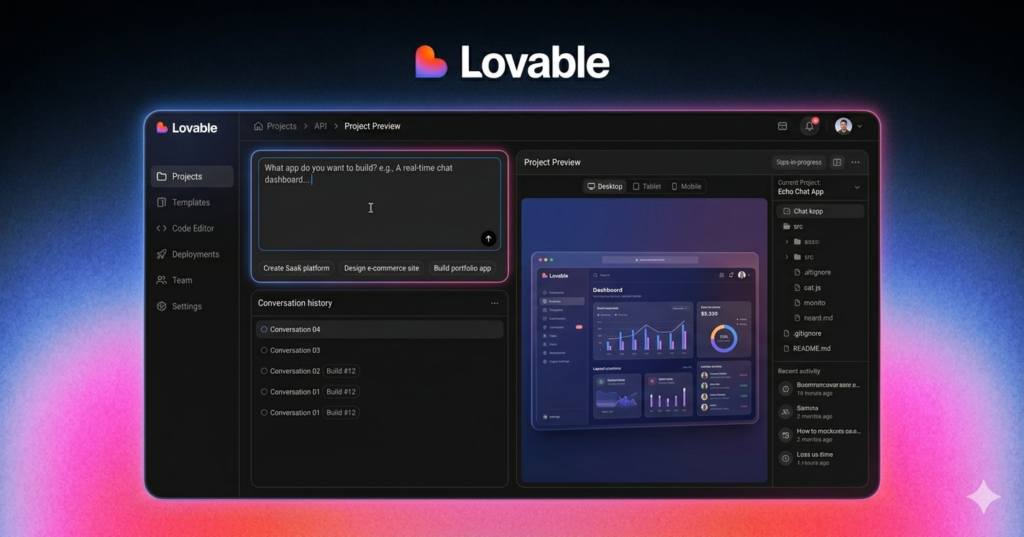
Lovable AI is an innovative artificial intelligence platform that empowers users to build websites, web applications, and virtually any digital product imaginable through simple text prompts. Unlike traditional website builders that require dragging elements or writing code, Lovable leverages advanced AI to interpret your ideas and transform them into fully functional, beautifully designed websites.
The platform’s beauty lies in its unlimited creative potential. There are no templates restricting your vision—just pure AI-powered creation that adapts to your specific needs and preferences.
Getting Started: Setting Up Your Lovable Account
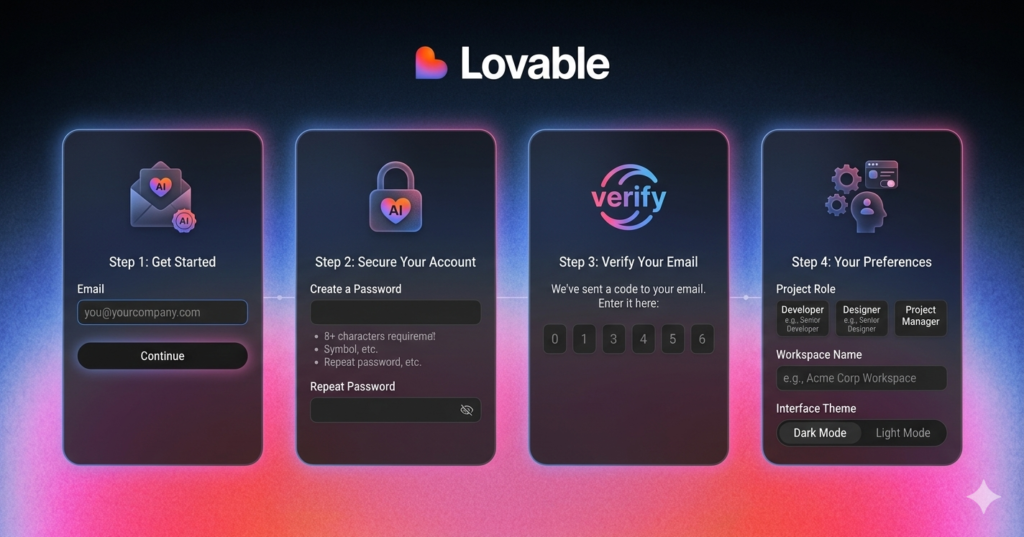
Before diving into website creation, you’ll need to set up your free Lovable account. Here’s how:
- Visit lovable.dev and click “Get Started”
- Create your account using email/password or sign up with Google/GitHub
- Verify your email through the confirmation link
- Complete your profile by providing your name and preferences
- Choose your theme (dark mode recommended for reduced eye strain)
- Select your use case (personal project, business, content creation, etc.)
While Lovable offers a free tier with daily credits, consider upgrading for unlimited access if you’re planning extensive projects.
Step 1: Crafting the Perfect Prompt with ChatGPT
The secret to exceptional results with Lovable AI lies in creating detailed, descriptive prompts. Here’s a proven workflow:
Using ChatGPT as Your Prompt Engineer
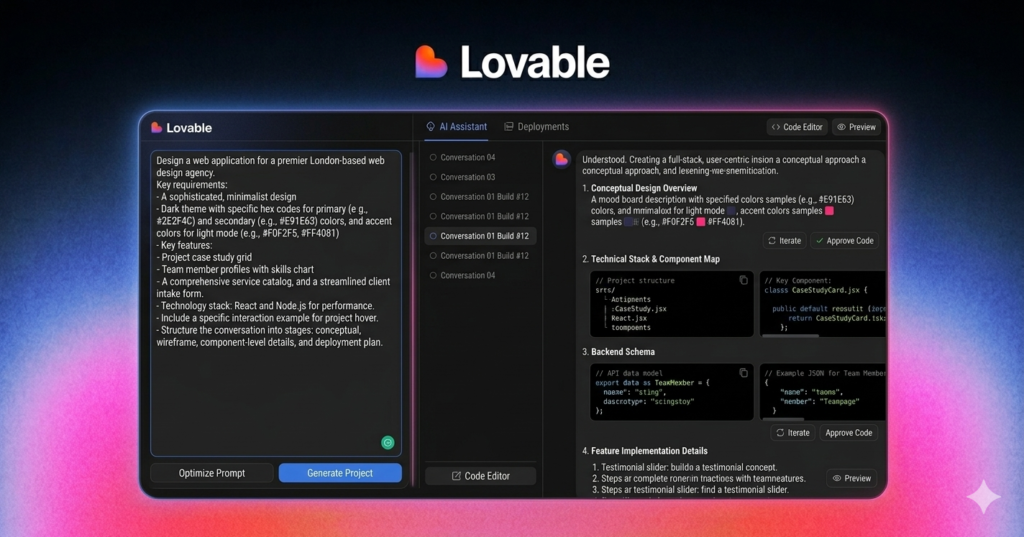
Before heading to Lovable, use ChatGPT to generate comprehensive prompts. For example, if you’re building a web design agency website, ask ChatGPT:
“I want to make a website using Lovable. Can you help me create a descriptive and detailed prompt to make a web design agency website?”
The AI will generate a prompt including:
- Introduction & Purpose: Clear description of your business
- Color Theme: Specific color palettes and gradients
- Typography: Font styles and hierarchy
- Design Style: Modern, minimalist, corporate, retro, etc.
- Homepage Features: Hero sections, CTAs, animations
- Page Structure: Services, portfolio, testimonials, contact
- Interactive Elements: Hover effects, filters, popups
Step 2: Building Your First Website
Now comes the exciting part—bringing your vision to life:
- Copy your ChatGPT-generated prompt
- Paste it into Lovable’s prompt interface
- Click “Generate” and watch the magic happen
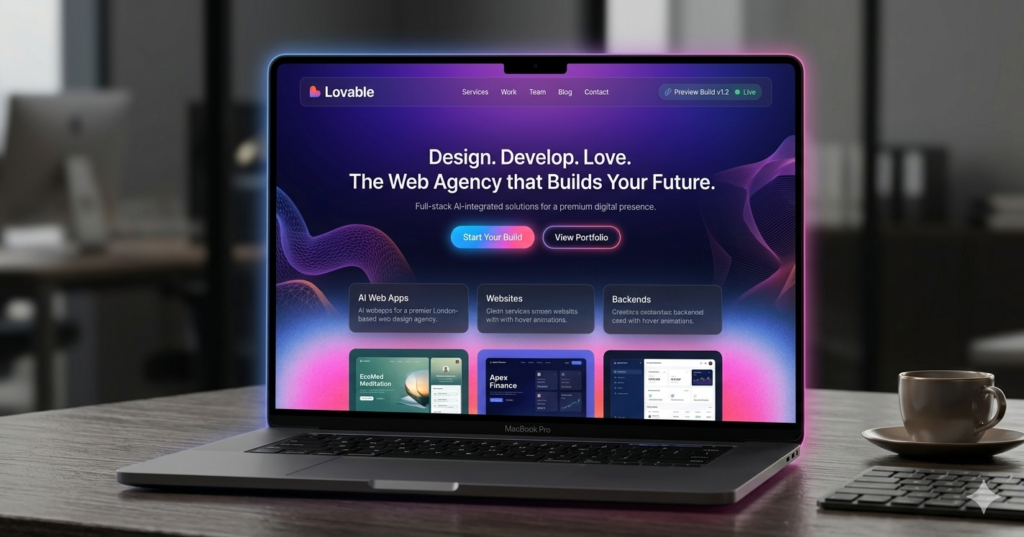
Within seconds, Lovable AI creates a complete website featuring:
- Responsive landing page with compelling hero section
- Call-to-action buttons with gradient backgrounds
- Abstract design elements and animations
- Services section with interactive hover effects
- Portfolio gallery with filtering capabilities
- Process workflow visualization
- Testimonial carousel
- Contact form with validation
Editing and Customizing Your Creation
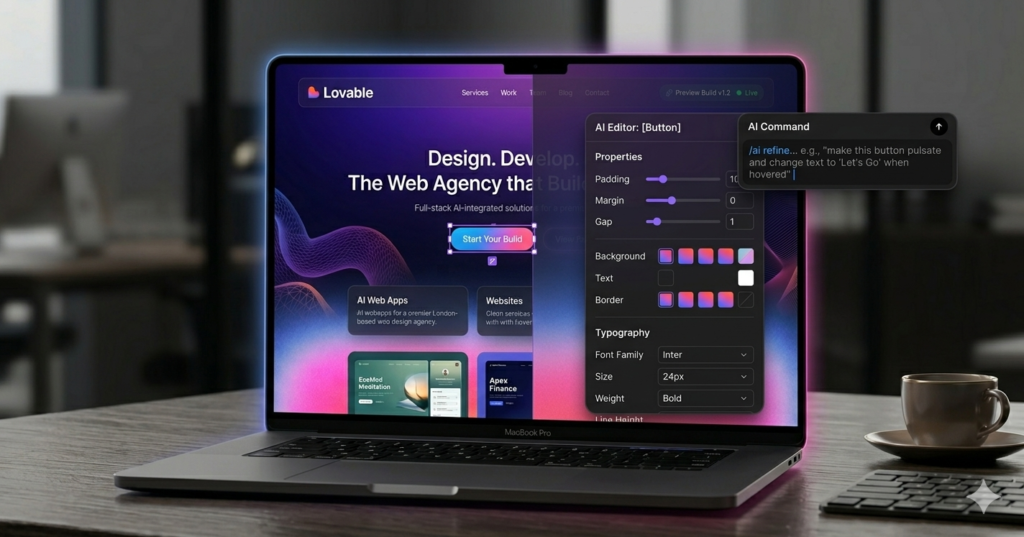
Lovable’s recent editor update revolutionizes how you refine your website. The visual editor allows you to modify any element without touching code:
Making Quick Changes
Editing Buttons:
- Click the edit button (bottom left)
- Select any element on your page
- Modify text, colors, margins, padding, fonts
- Request AI changes: “Change background to gradient purple”
Adjusting Spacing: If elements appear cramped, simply:
- Select the section
- Add margin values (e.g., 50px)
- Save and preview instantly
Fixing Functionality: Notice non-working buttons? Just tell the AI: “In the portfolio section, make the ‘View Project’ buttons open popups with project details”
The AI automatically implements modals with:
- Project overview
- Challenges and solutions
- Technologies used
- Detailed case studies
Version History & Undo
Like professional design tools, Lovable maintains complete version history. Made a mistake? Simply access the history panel and revert to any previous version—every save creates a restore point.
Step 3: Creating Functional Applications
Beyond static websites, Lovable excels at building interactive applications. Let’s create an Email Generator for Web Design Agencies:
Building the App
Prompt Example: “I want to build an app that generates emails automatically for web design agencies. The generator will create lead outreach emails to help agencies get clients. Create a prompt for Lovable.”
Your generated app includes:
- Lead Generation Interface: Input fields for business type, location, tone
- Customization Options: Unique selling points, agency name
- Email Templates: Pre-built templates for restaurants, legal, e-commerce, real estate
- One-Click Generation: Instant email creation with copy/share functionality
- Template Library: Expandable collection of industry-specific templates
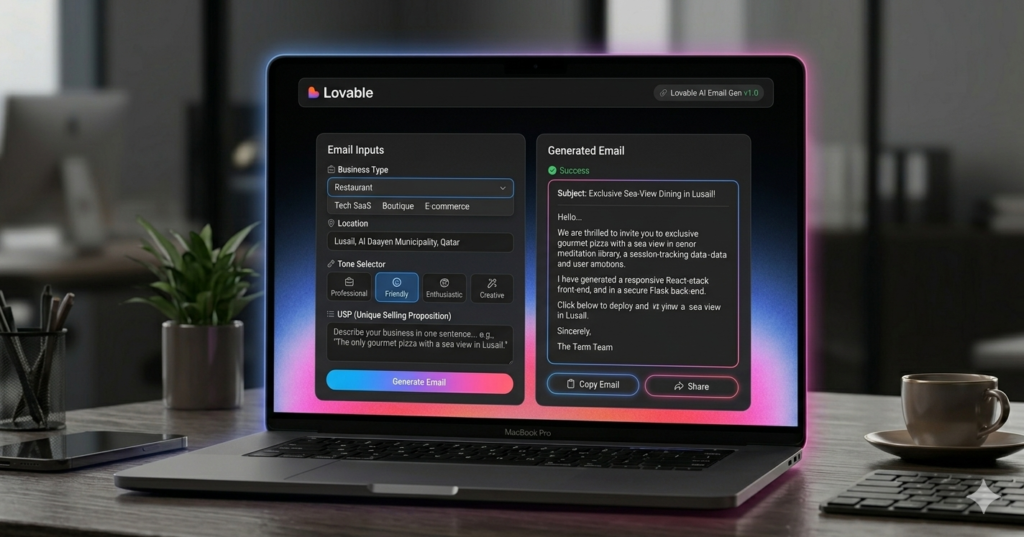
Testing Your App: Input sample data:
- Business Type: Real Estate Agent
- Location: Los Angeles
- USP: “Boost your revenue by 60%”
- Agency: “Daryl’s Place”
Click generate—instantly receive a personalized, professional outreach email ready to send!
Advanced Techniques: Pushing AI Limits
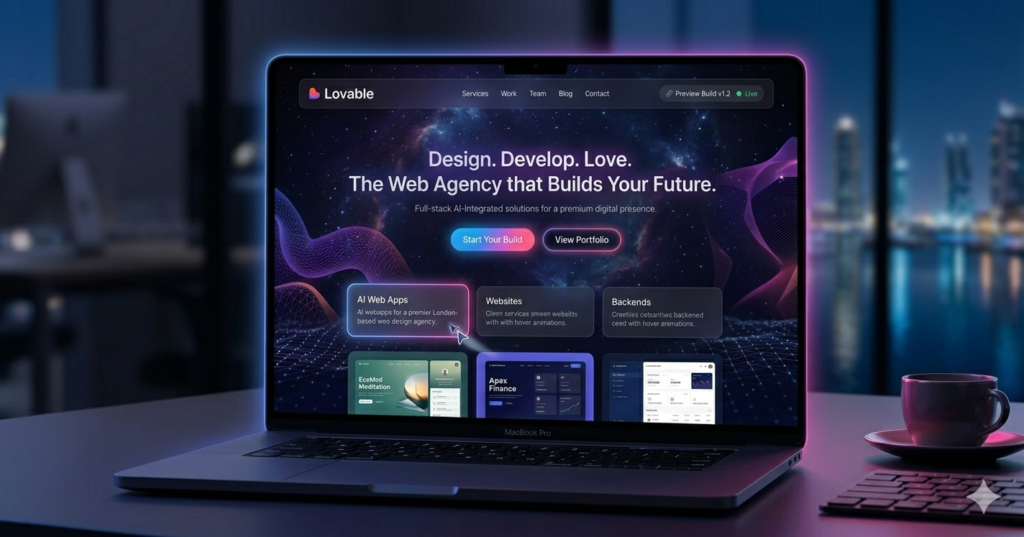
Ready to create something extraordinary? Advanced prompts unlock websites that would traditionally cost $10,000+:
Complex Animations & Interactions
Create websites featuring:
- Cosmic parallax effects with mouse-controlled elements
- Glassmorphic cards that scale and pop on scroll
- Interactive cursors that transform on hover
- Dynamic graphs and data visualizations
- Animated counters and metrics displays
Pro Tip: Ask ChatGPT to generate variations: “Create 5 different versions of this prompt: modern bold, minimal clean, classic timeless, corporate fintech, and futuristic hologram”
This gives you multiple design directions to explore!
Database Integration with Supabase
For fully functional websites, integrate Supabase—a powerful backend database:
Connection Process
- Create a Supabase account (separate service)
- Navigate to Lovable’s workspace
- Click “Connect to Project”
- Authorize Lovable access to your Supabase account
- Link your project
How It Works
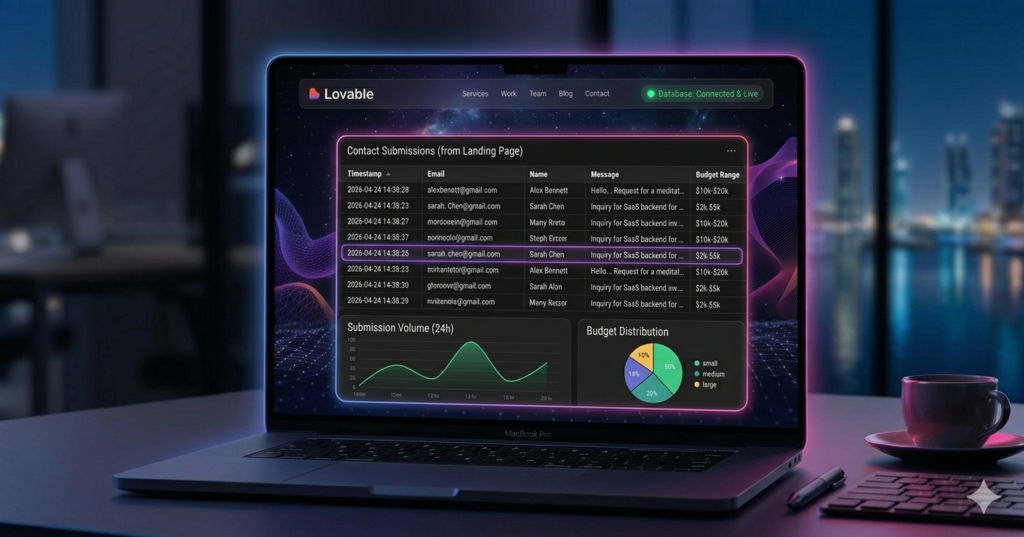
When users submit your contact form:
- Data automatically flows to Supabase
- AI creates necessary database tables
- Information organized in structured format
- Accessible through Supabase’s table editor
Test It:
- Fill out your website’s contact form
- Check Supabase table editor
- View submissions with all fields: email, budget, message, source
This creates fully functional lead capture systems without backend coding!
Publishing and Going Live
Ready to share your creation?
- Click “Publish Project” (top right)
- Preview your site instantly
- Get your live URL (lovable.app subdomain)
- Add custom domain (optional):
- Connect existing domain
- Purchase new domain through integration
Your site is now live and accessible worldwide!
The Community Advantage
Lovable’s Workspace feature fosters collaboration:
- Make projects public for others to learn from
- Remix community projects as starting points
- Borrow and modify existing work
- Build upon innovations from other creators
Learning from Others: Found a stunning community project? Click “Remix” to:
- Create your own copy
- Modify design elements
- Ask AI: “What prompts created this effect?”
- Receive guidance on replication techniques
This creates an ecosystem of innovation where everyone benefits!
The Future of AI Website Builders
The evolution is undeniable. Just one year ago, AI-generated websites appeared blocky and limited. Today, platforms like Lovable produce:
- Professional-grade designs
- Complex animations
- Functional applications
- Database integrations
- Responsive layouts
Where We’re Headed: In two years, AI website builders will likely:
- Surpass traditional platforms (WordPress, Shopify)
- Eliminate the need for coding entirely
- Enable anyone to build enterprise-level sites
- Reduce development time from months to minutes
The question isn’t if AI will dominate web development—it’s when.
Conclusion: Your AI-Powered Future Starts Now
Lovable AI represents more than just a tool—it’s a paradigm shift in how we create digital experiences. Whether you’re building:
- A portfolio website
- A lead generation app
- An e-commerce platform
- An interactive dashboard
The power to create lies in your imagination, not your coding skills.
Ready to start? Visit lovable.dev, create your free account, and transform your ideas into reality. The future of web development is here, and it’s more accessible than ever.
What will you build first?
Leave a Reply